Look Book
Design Case Study
A simple solution to help your hair stylist cut your hair consistently. Create a gallery of your favorite looks, add notes on how you'd like your hair cut, and discover new styles to try.
Client
Self
Date
April 2026
Contribution
Whole project
Tools
Figma Google Stitch
The Situation
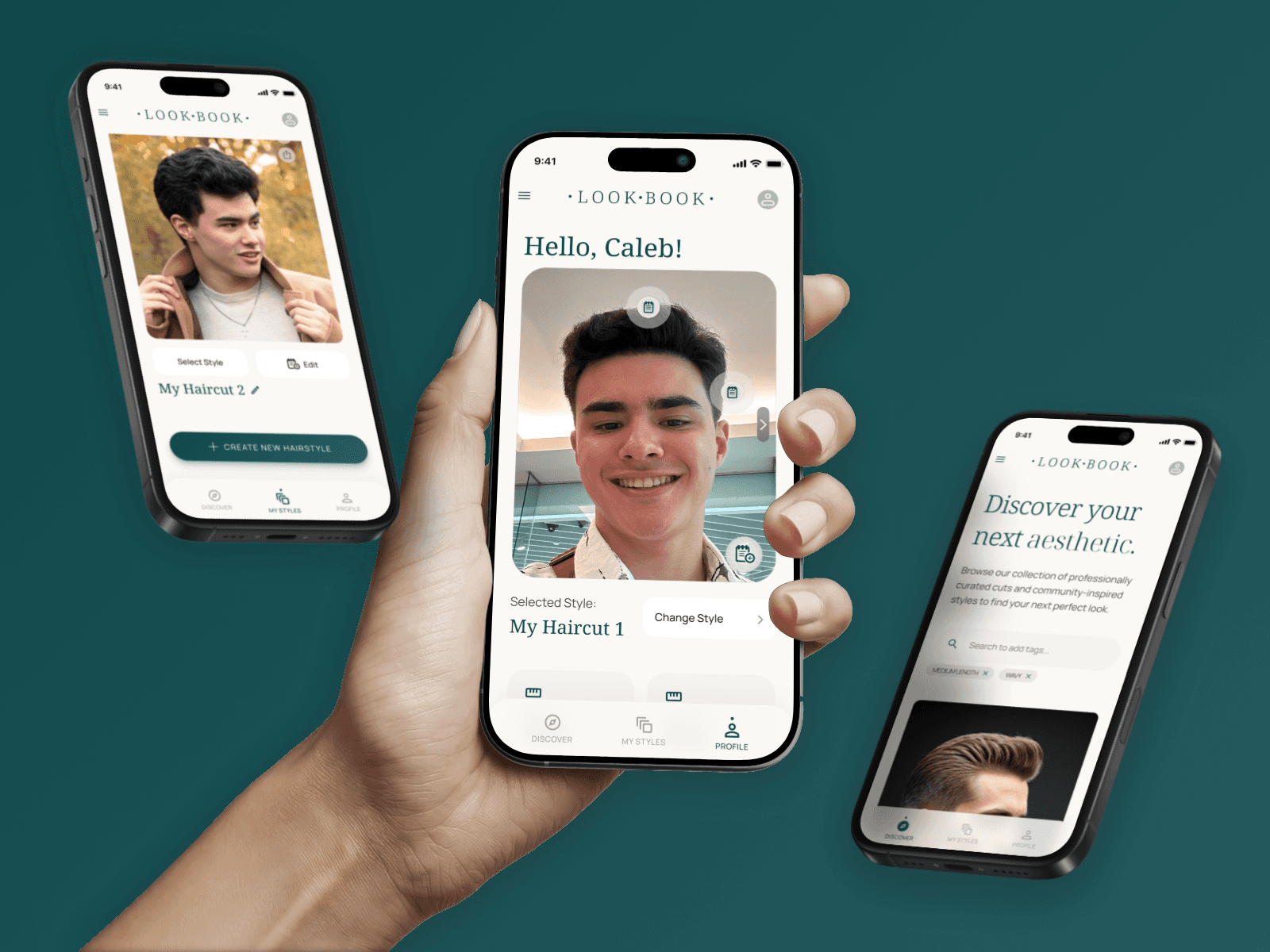
This project was a quick design I made to practice integrating AI into my design workflow. I used this opportunity to solve the recurring problem of inconsistent haircuts. Language barriers, changing stylists, and even just having generally stubborn hair means that it can be hard to get consistent results at the salon, so I designed an app that shows stylists what I like and how to cut my hair.
Approach
I wanted to try speeding up my design process by using Google Stitch, an AI design and mockup tool, to give me a starting point I could work with. From there, I would document the results, identify areas of improvement, and create my own improved version of an app.
The end goal was to have a mockup of an app that would help me annotate pictures of my hair for barbers and stylists.
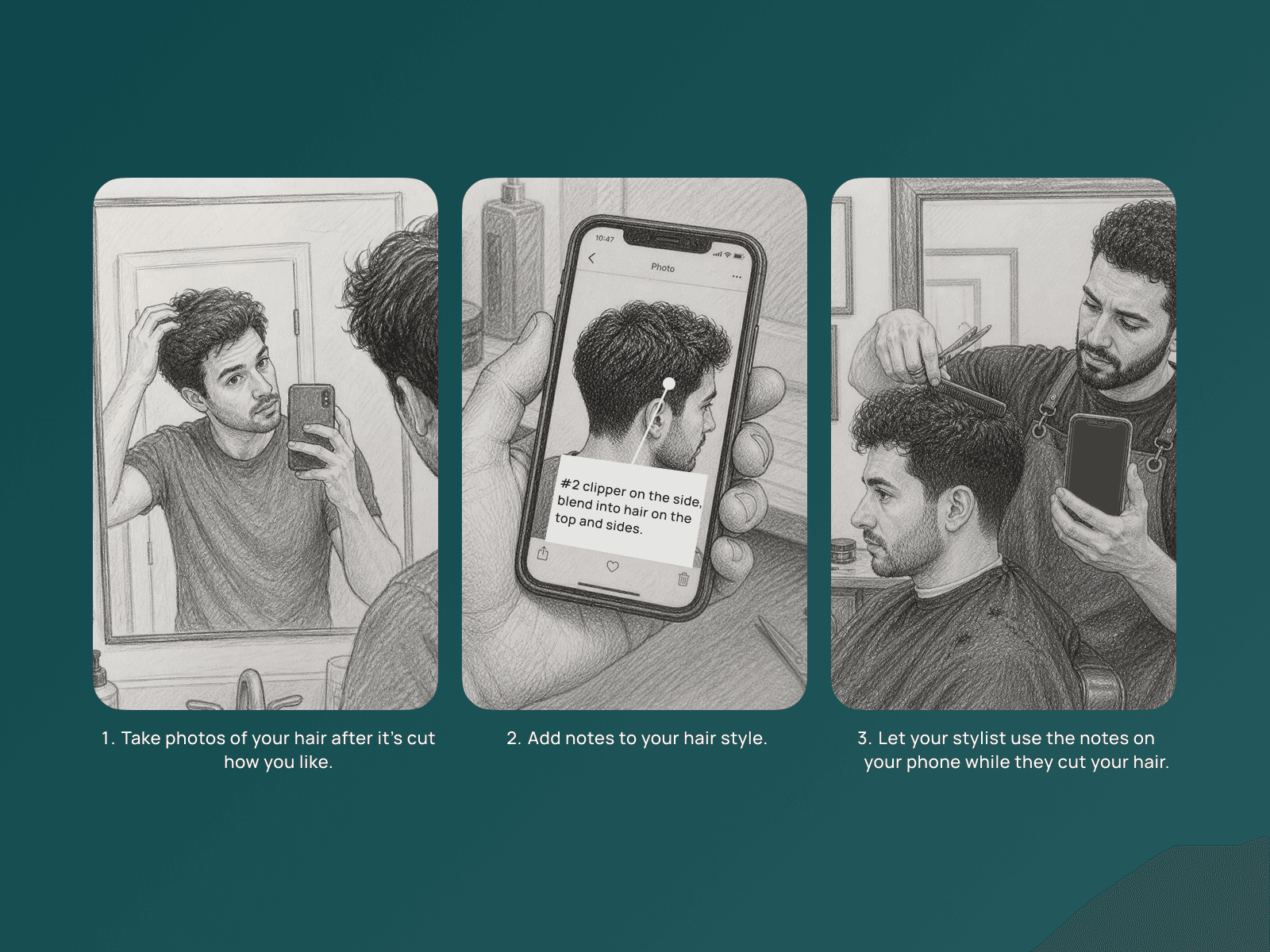
My intended user flow. Images generated using AI.
My Vision for the Project
My initial idea for this project focused on a mobile app where users could upload photos of their hair. They could then add notes to those photos that explained how to cut a certain area, hair behavior to be aware of, etc. to achieve that look. These notes could be used to help a barber/stylist during a haircut, who would be able to view the notes on the user's phone.
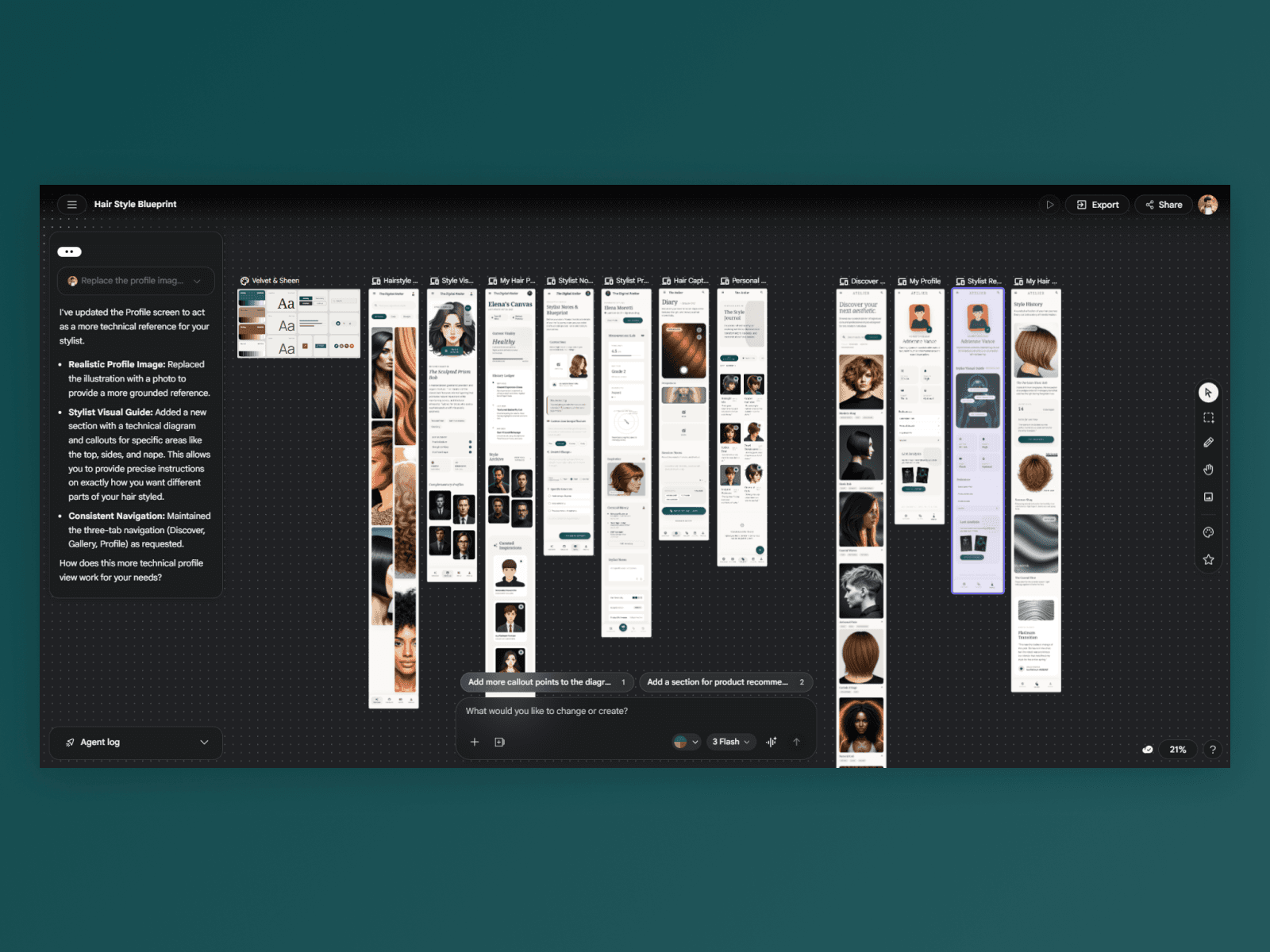
A screenshot of my workspace in Google Stitch. Stitch is an AI tool that helped me generate starting layouts and ideas.
Jumpstarting with Google AI
I described my vision to Google Stitch, an AI model built to design digital mockups. It quickly created a set of 4 screens centered on stylist notes, discovering new hair styles, and tracking hair health. While this did provide me with some new ideas, it was also lacking the focus I intended for the project.
I then spent some time tweaking the existing designs within the AI model, further clarifying that the primary functions should be to upload photos and add notes to them, and for stylists to view those notes. Stitch generated new iterations centered around a 'Stylist Pro View', which was a nice idea, but the page unfortunately was unintuitive to use. I wanted the stylist view to be very simple since stylists would be focused more on cutting hair, and should not have to navigate a screen to find notes.
I finally picked out the 3 strongest pages that were generated and instructed it to re-create these screens with a focus on making notes that could be added to user-uploaded photos. These mockups were easier to navigate and closer aligned to my vision, but Stitch also began to insert unrelated images and buttons in odd places. This indicated that the AI was breaking down in a sense, and that it was time to start executing on my vision.
In short, Google Stitch provided me with new ideas and a decent starting layout, but it focused on adding new features instead of refining the ones I wanted.
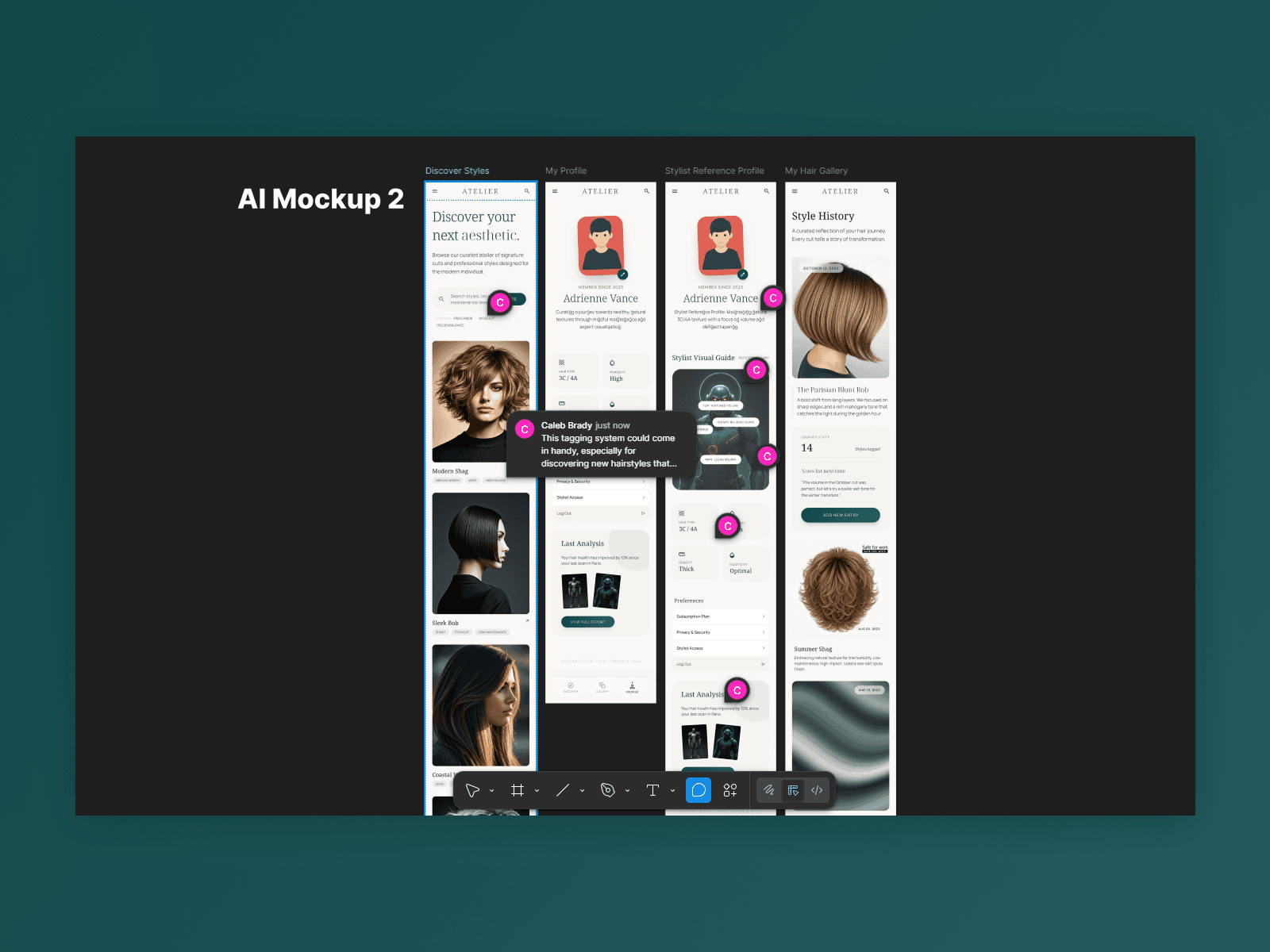
Mockups from Stitch were imported to Figma, where I analyzed them for ideas and areas of improvement.
Moving Forward with Fresh Inspiration
Beyond simply giving me a layout I could tweak in Figma, Stitch did give me some new ideas that I liked. I still wanted my app to focus on the user's profile and keep pages to a minimum, but I also liked the idea of adding a gallery page (for users to store other styles they liked) and a discovery page (for users to share and find styles they would like to try).
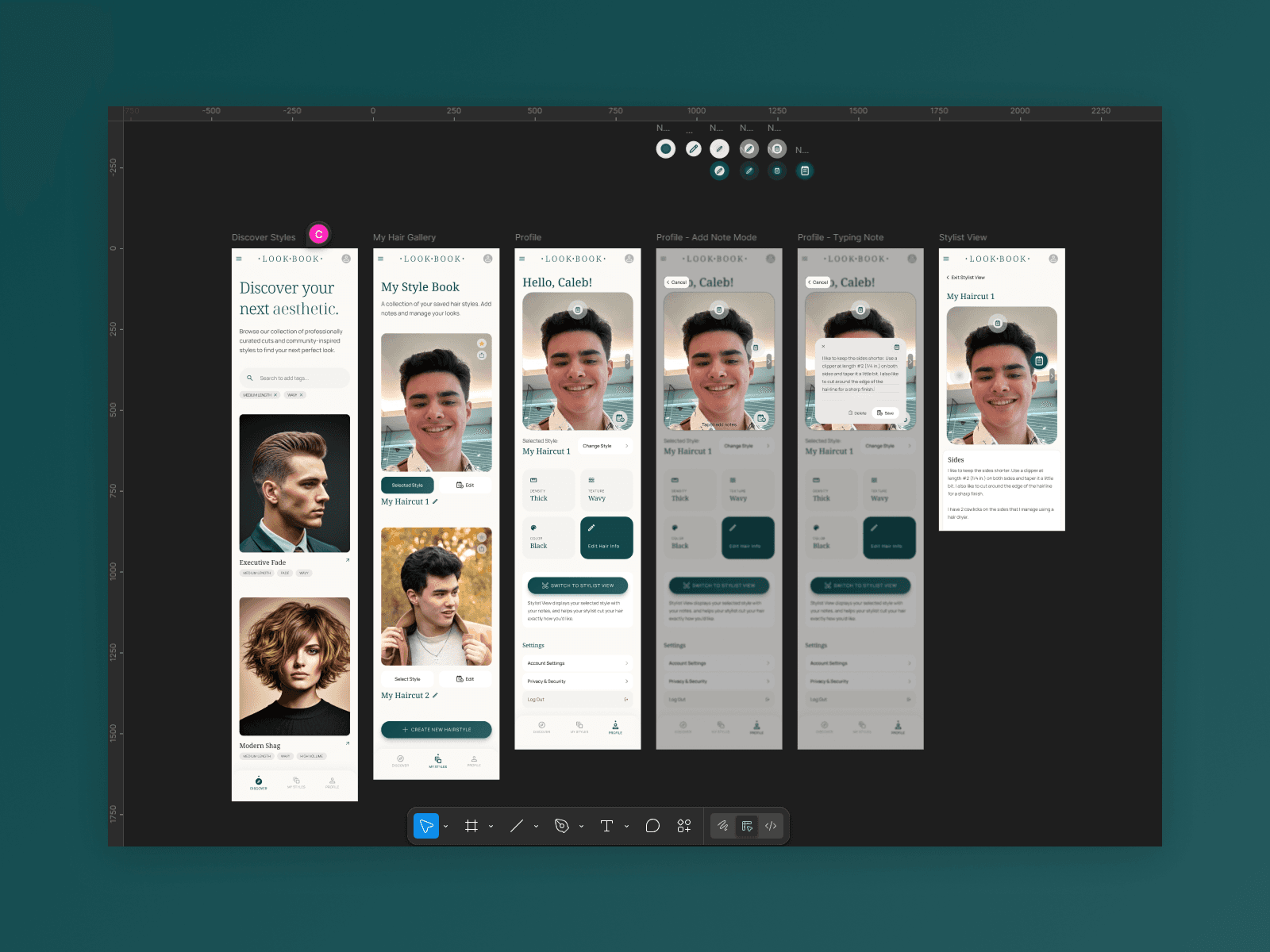
My own mockups in Figma, featuring Discover, Gallery, Profile, and Stylist View pages (and a workflow for adding notes).
Designing My Mockups
Using three of the AI-generated mockups as a start, I began to create my own mockups. This process began with tweaking visual errors, such as misaligned buttons and strangely colored text. After cleaning up, I focused on creating smoother user flows on each page individually:
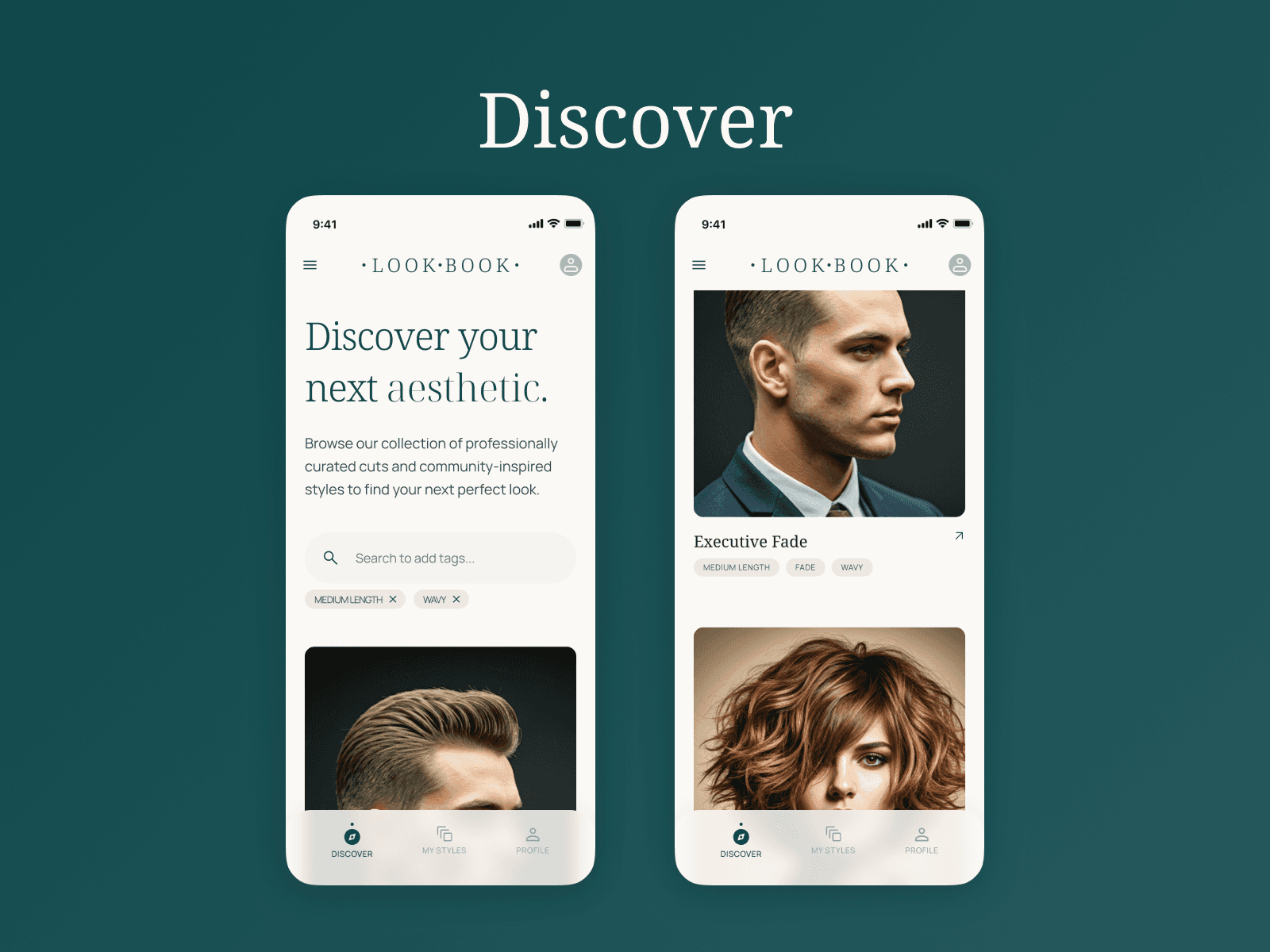
Discover
I liked the idea of using tags to search, which Stitch had already generated. This would let users find new styles more easily. To support this, I redesigned the search bar to display active tags underneath it.
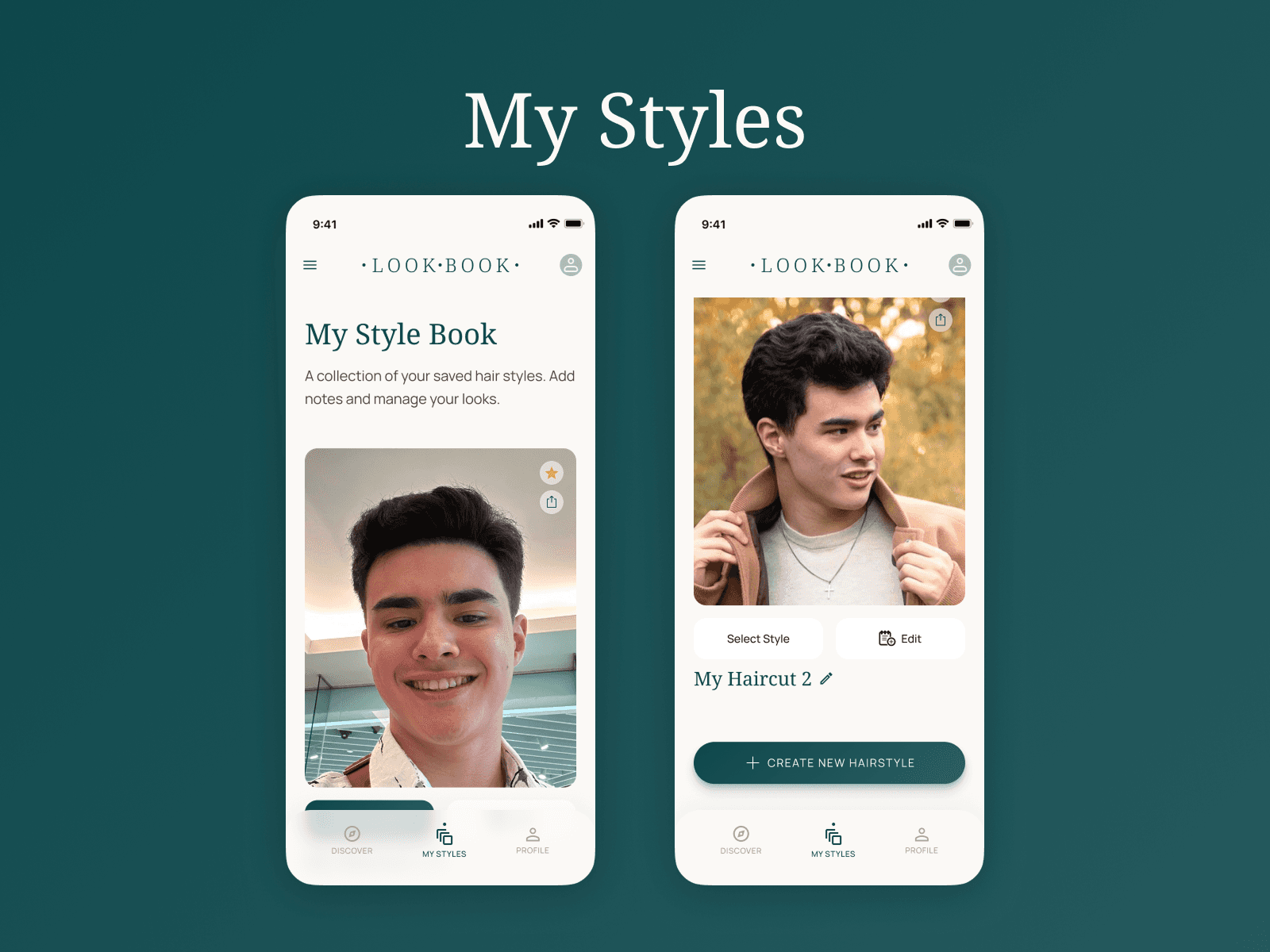
My Styles (Gallery)
The AI-generated gallery page felt like a blogging app to me and needed major changes to be made by hand. I took inspiration from the Discover page visually, and added options to add, favorite, share, select, and edit the user's styles. The new page was much easier to skim, and it was more clear in purpose.
Profile
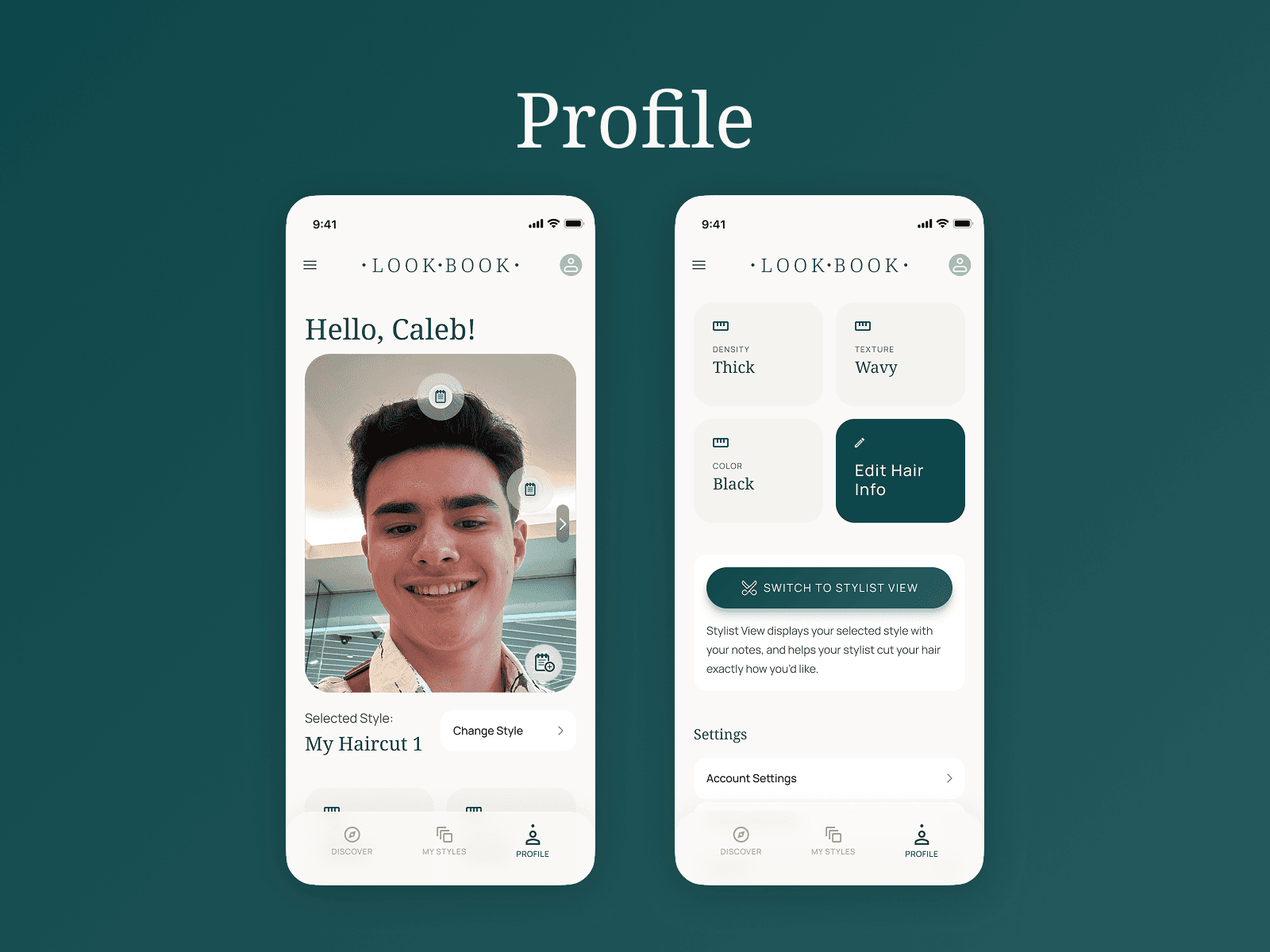
The main page for this app was the profile page. Stitch originally focused this page on journaling and hair health, but I adapted many of these features into my own design:
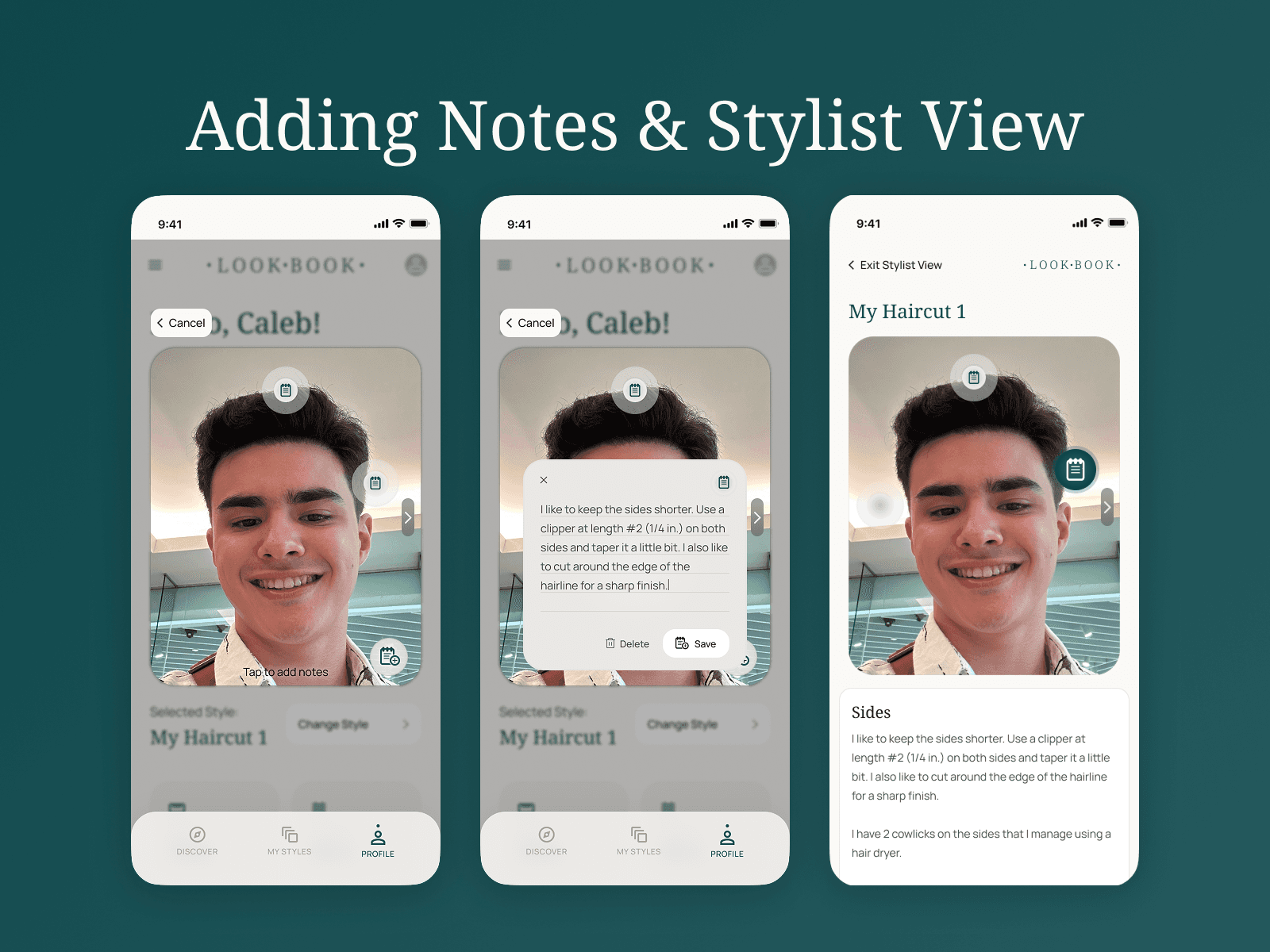
Added a method for users to add notes by tapping on their photo
Adapted the hair health grid into a hair info section, giving users a quick overview of their hair texture, density, and color
Added a button to enter 'Stylist View', which displays your selected hairstyle with notes
Stylist View
I drastically simplified this screen to only display the selected hair style and added notes. Stylists can tap on a note to display its contents, and can easily move between photos of other angles.
Visual/Branding
I largely kept the colors and fonts used by Stitch, though I did update components such as buttons and tags. Stitch created the name 'Atelier' for this project, but I renamed it 'Look Book'. I felt it was more catchy and better emphasized the note-taking and style-saving features of the app.
Final Thoughts
AI in the Design Process
Designing Look Book was a great exercise to see how AI is shaping the UX design landscape. It was particularly helpful at giving me ideas for features and layouts, which significantly sped up the design process.
Thoughts on my Product
For the amount of time I was able to dedicate to this project, I am quite pleased with how it turned out. It looks like an app I would definitely use to make haircuts a more enjoyable and predictable experience.
If I were to continue working on it, there are a couple of features I would like to add. Stitch gave me the idea to implement Augmented Reality technology to try new hair styles, and I would like to test the note-adding user flow with actual users.
When used well, AI can significantly speed up design processes. This project was a great exercise with AI, and it showed me that right now, AI is particularly useful for inspiration and to visualize user flows.