CBC Mobile App
Design Case Study
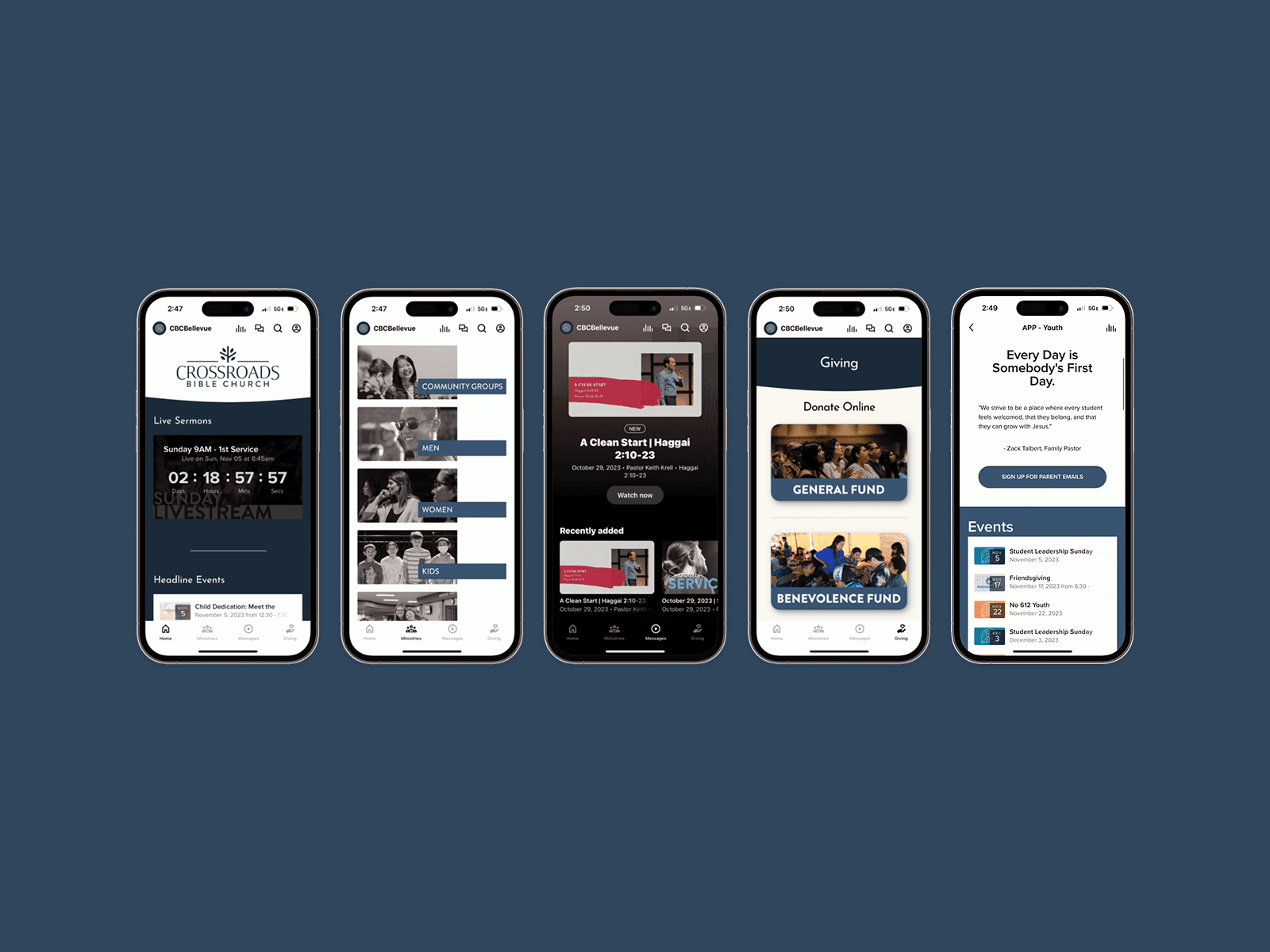
The CBC Mobile App helps over 3,000 members stay connected to Crossroads Bible Church throughout the week by making it easier to find social events, stream sermons, send donations, and more!
Client
Crossroads Bible Church
Date
June - December 2023
Contribution
User Research Visual Design UI & UX Design
Tools
Figma Google Forms Photoshop Subsplash
The Situation
CBC had already released a mobile app for their community, but it failed to perform as they had hoped there were very few downloads, and users reported difficulty using it. However, I felt that the app presented a great opportunity to help people (especially the youth that I worked with) get more involved with the church. A couple of discussions and meetings later, and I found myself on the church's design team with the goal of redesigning the mobile app.
My task was to review the current app and reevaluate the community's needs, then update the app to better serve those needs.
Approach
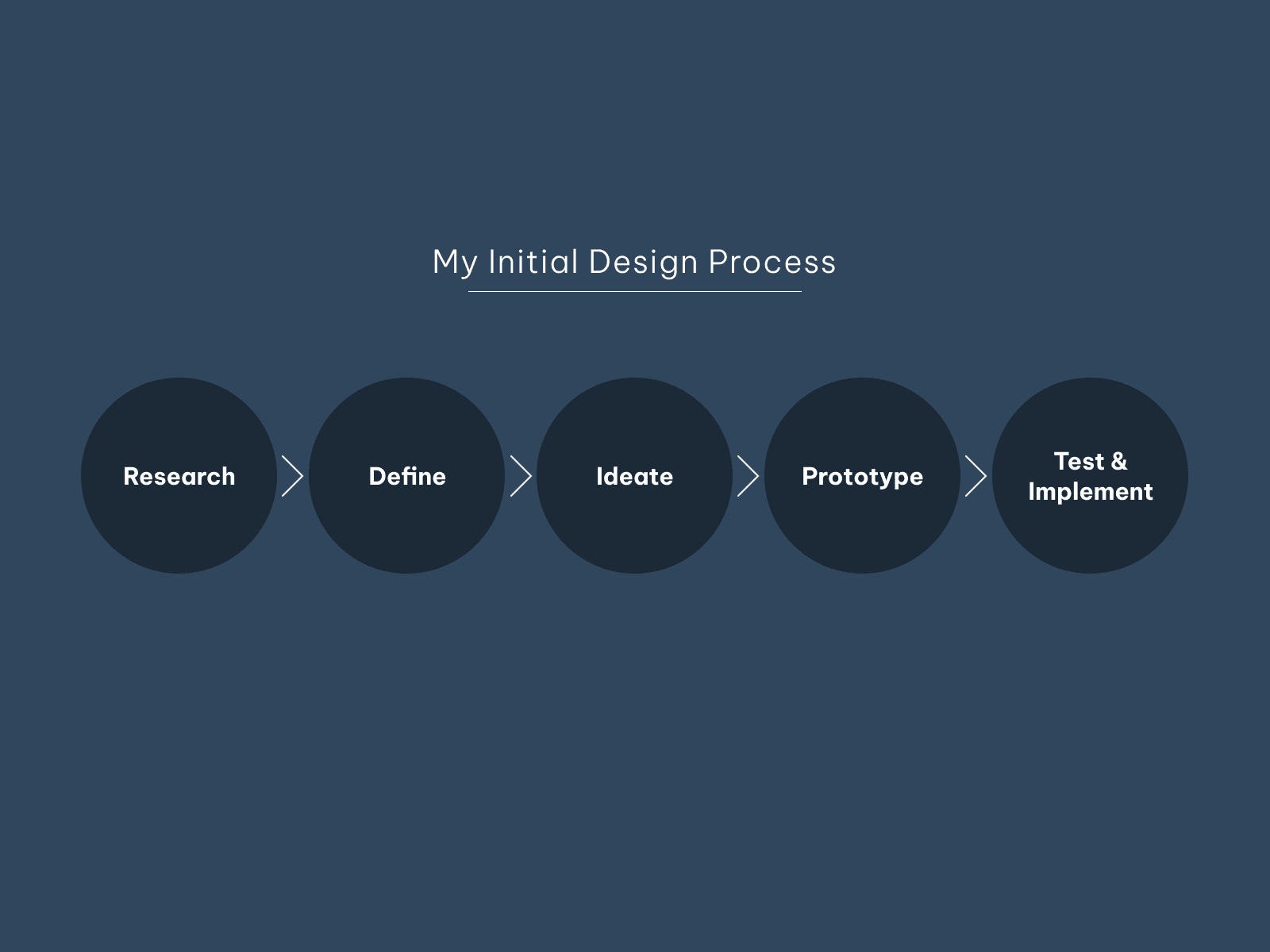
I formulated a design process that I based on the Double Diamond design process and Stanford's Design Thinking process. First, I would conduct Research through interviews, surveys, and investigating the app myself. I would then Define key needs to design around by analyzing my research. Once target needs were defined, I would Ideate potential solutions that were feasible to implement, then create a Prototype. Finally, my designs would be Implemented and Tested.
Research
Interviews
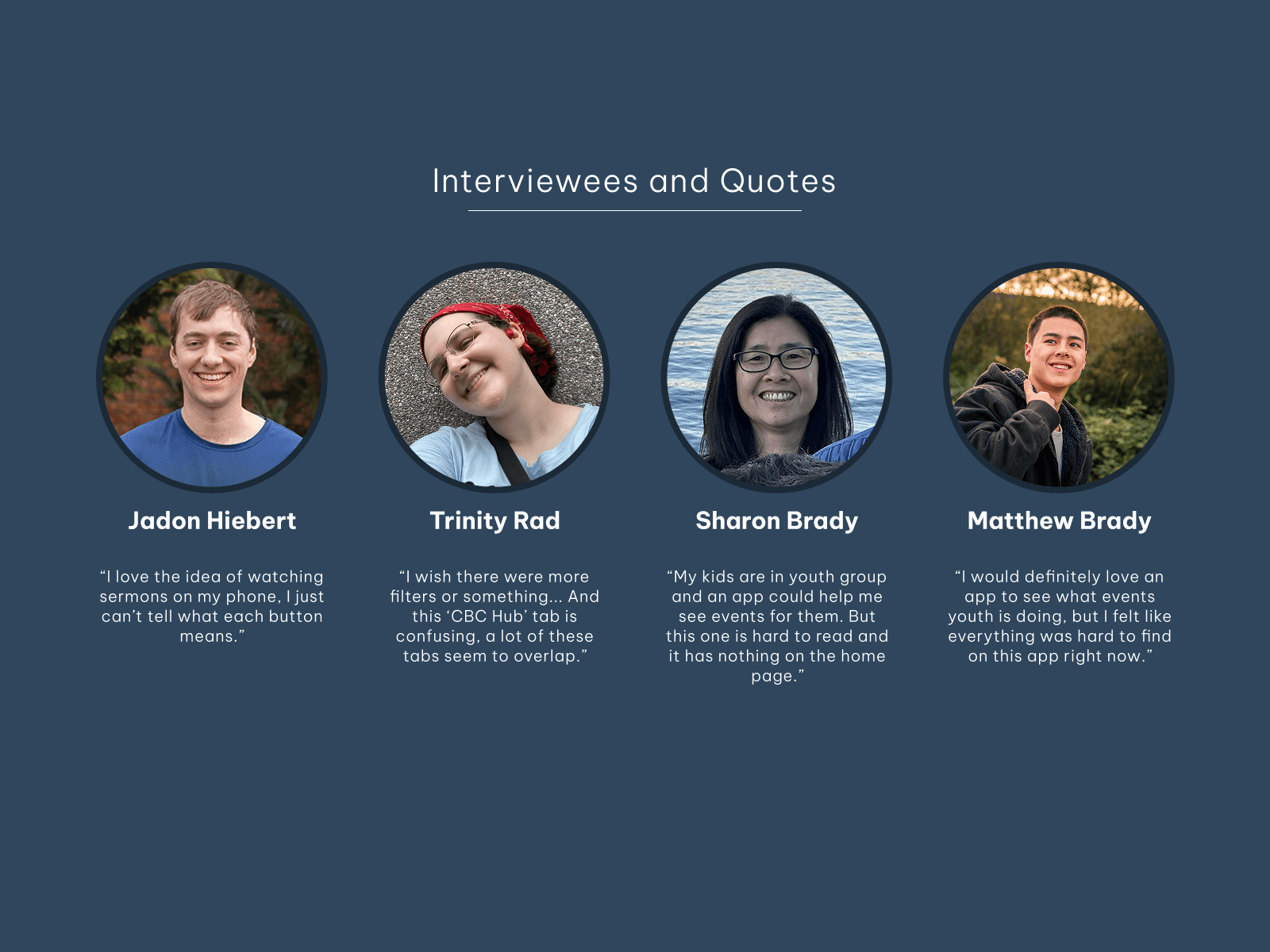
My research process began by interviewing 6 members of the church from different age groups: 2 highschoolers, 2 young adults, and 2 older adults. For each interview, I observed them as they used the app to complete given tasks, and we discussed their thoughts and what they would prioritize using in an app.
All 6 interviewees prioritized finding sermon recordings or finding upcoming events.
Surveys
I also created and released a survey to the CBC community. The survey was originally made to help CBC assess various communication channels, but I managed to gain valuable insight into the app's performance from it. The most helpful questions and their insights included the following:
Question: "Are there any communication channels you find frustrating or hard to use?"
Results: Out of 32 responses, 15 found the app difficult to use, ranking the most difficult compared to all other channels.
Question: "Rate each of our communication channels based on how helpful they are to you on a scale of 0 to 3."
Result: The app was very poorly rated, averaging 1/3 on the scale. Demographic analysis also revealed that, in general, older users rated the app as less helpful.
Question: "Do you prefer to use a computer or a phone to sign up for events?"
Result: 52.3% of respondents said they would prefer to use their phone to sign up for events.
Question: "What do you use our mobile app for most frequently?"
Result: The two most common responses were to find events and to watch sermons. However, out of 65 responses, 41.5% of users said they did not use the mobile app.
Question: "What, if anything, do you find frustrating or hard to use on the mobile app?"
Result: The majority of respondents said they did not use the app. Of those who did, navigation was cited as the most troubling pain point. Surprisingly to me, the second most cited pain point was the users did not trust the app to be up to date.
This survey revealed that younger audiences had needs for an app, and that the current app was not providing an enjoyable user experience.
Defining Pain Points
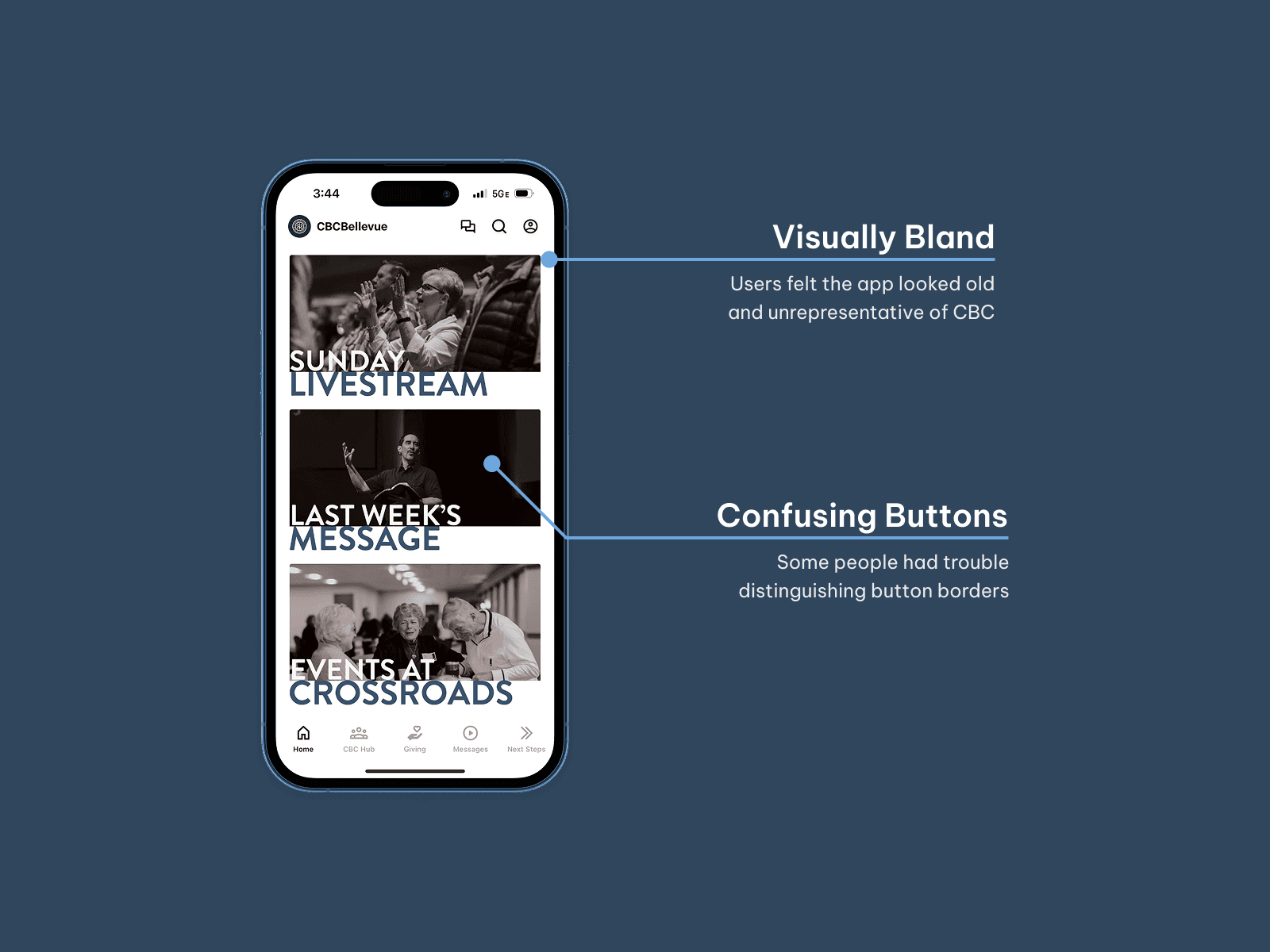
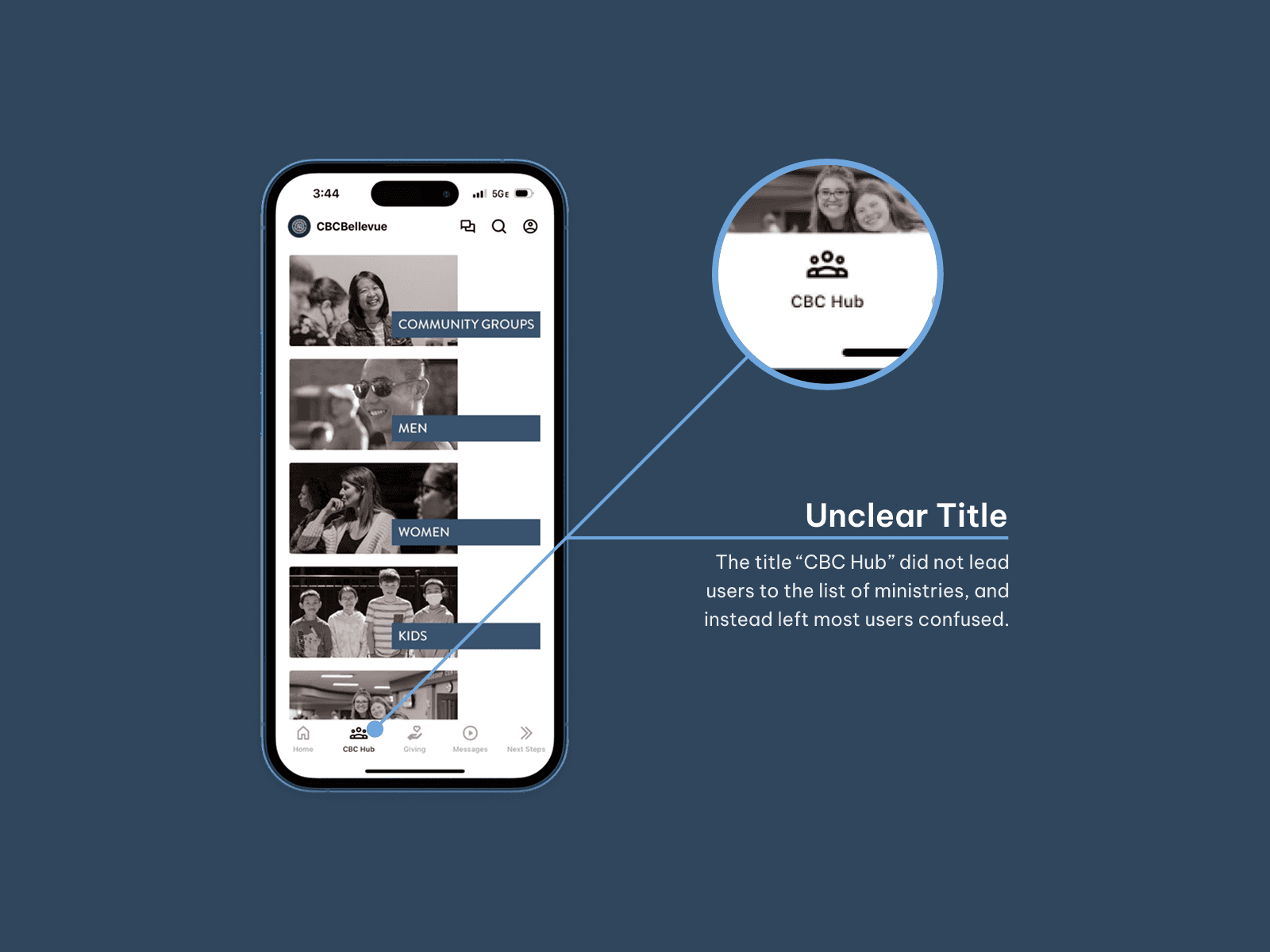
My research revealed the following problems that affected the whole app:
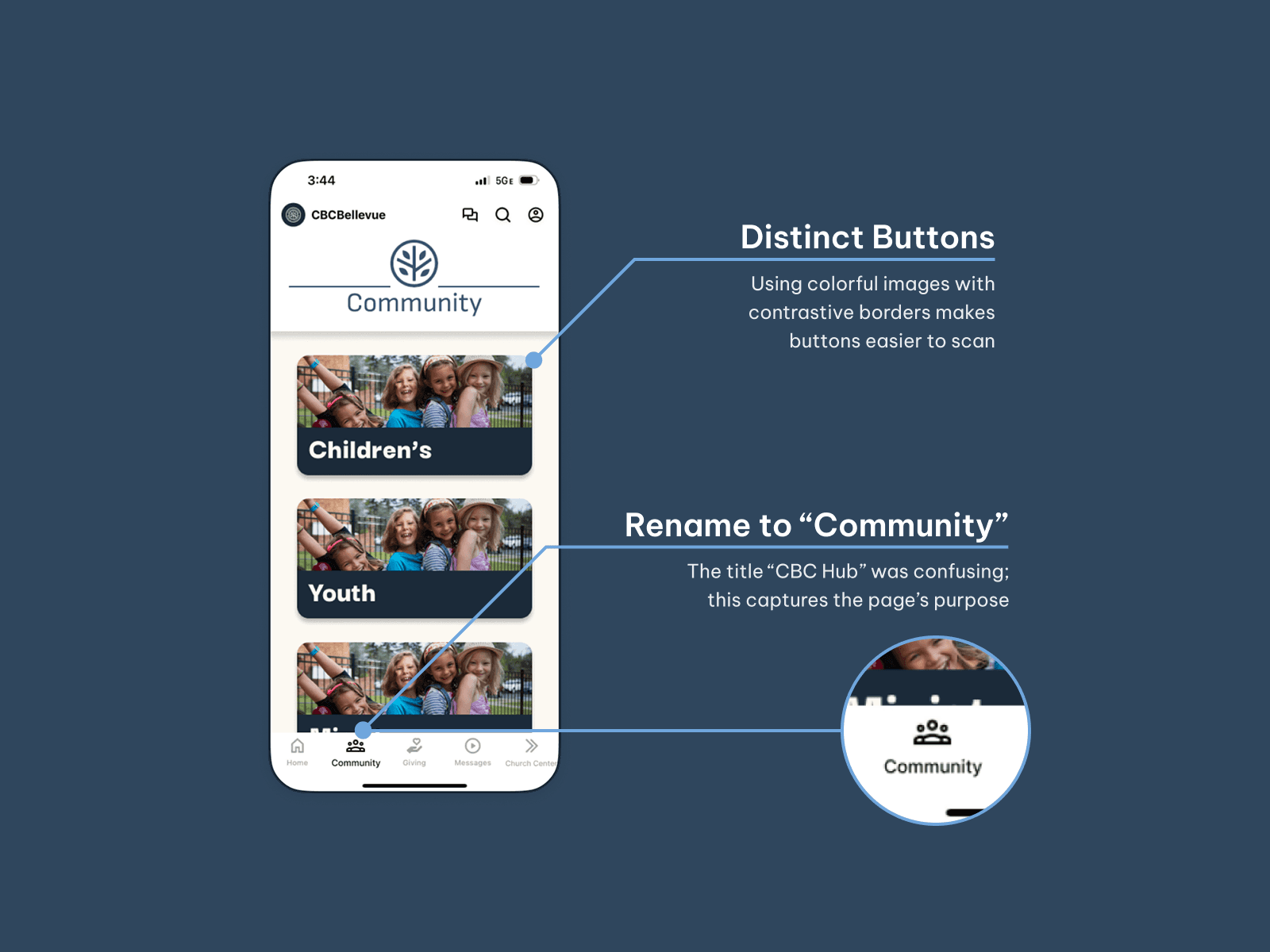
Not enough emphasis was put on finding events or watching sermons
Visuals looked outdated and hard to scan
Button titles were unhelpful
I also took this opportunity to meet with the church's leadership and discuss their needs for the app:
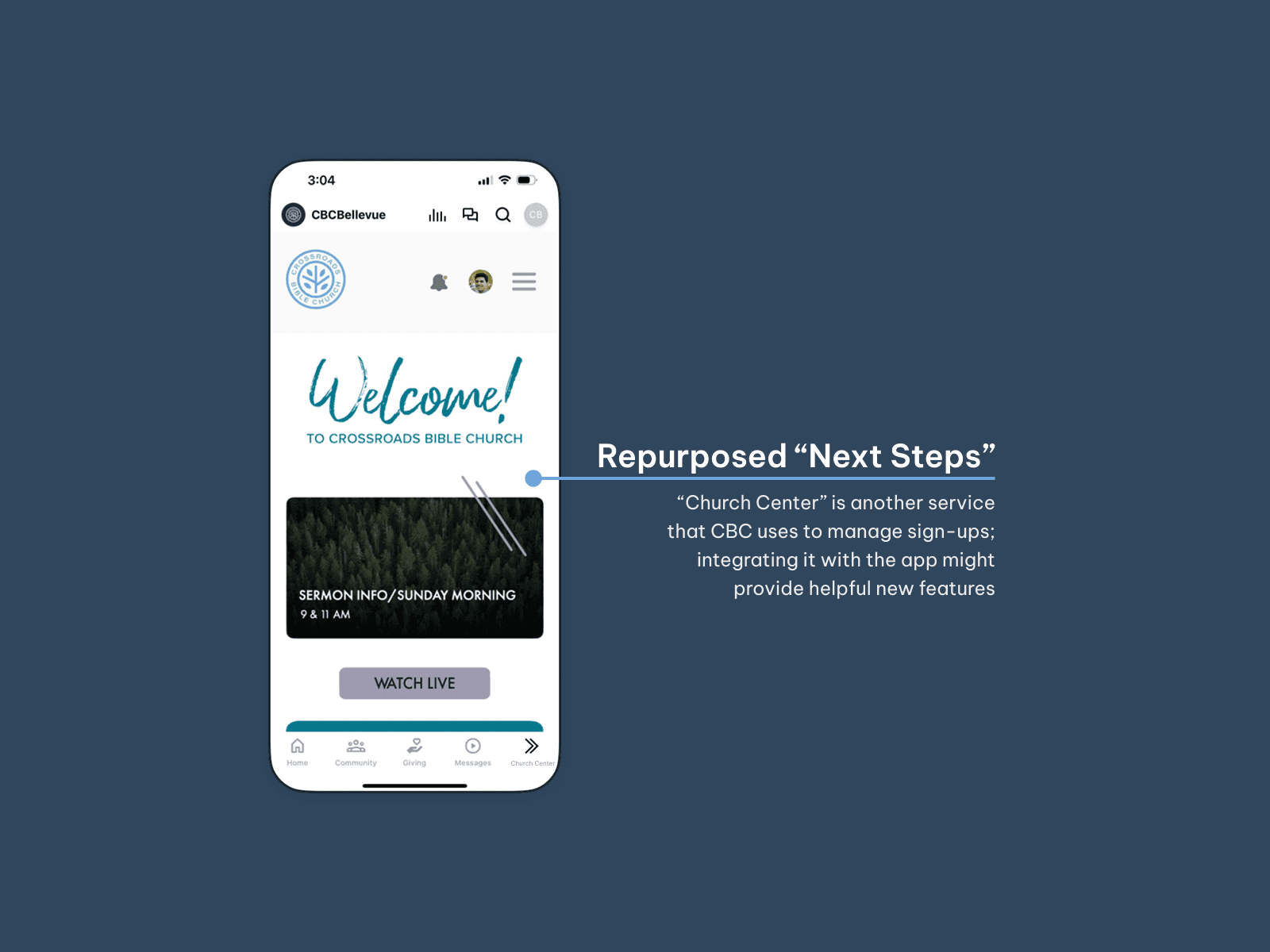
Calendars should be prioritized and automatically updated in the app.
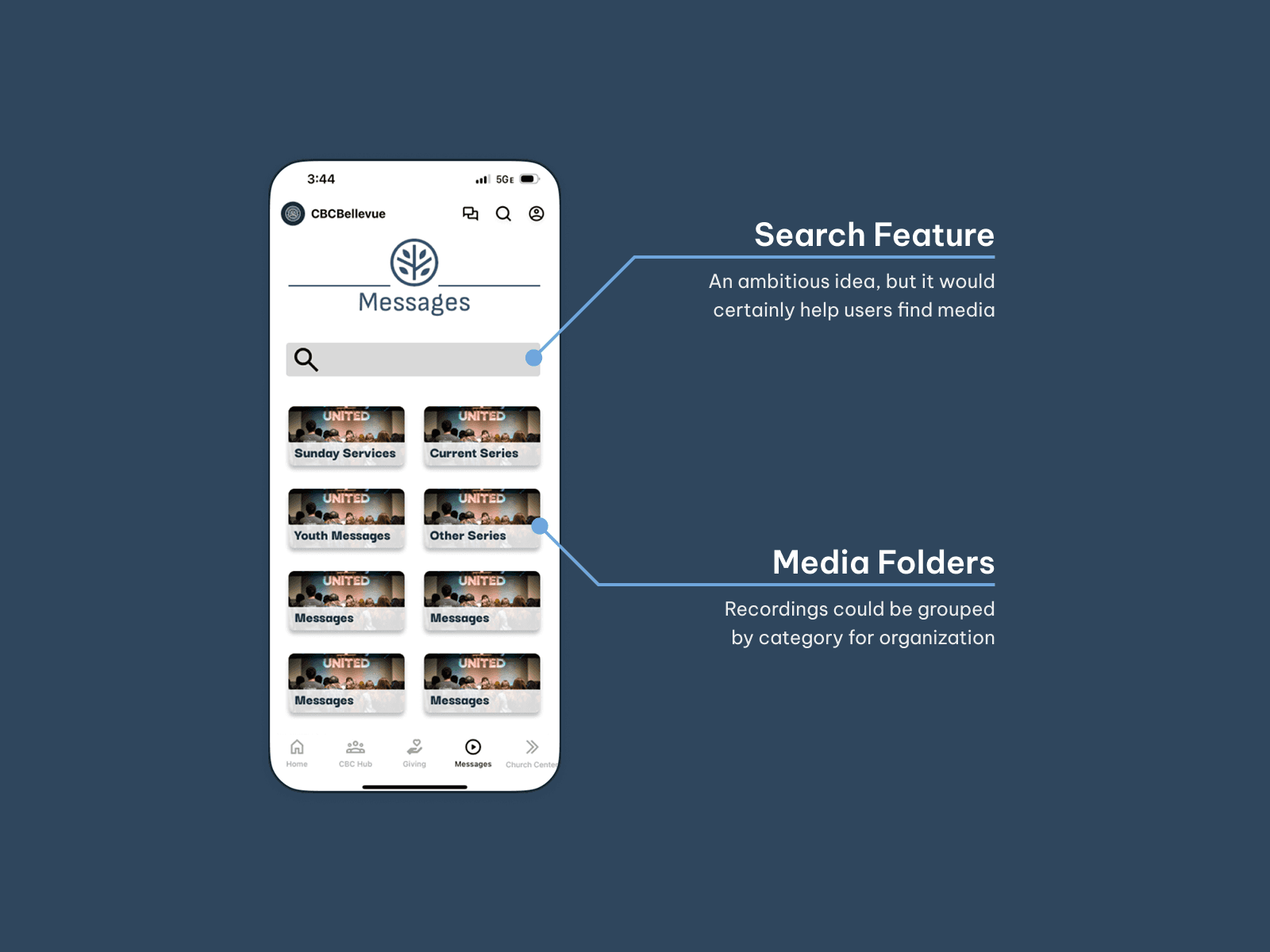
Finding and playing recorded media should be made easier.
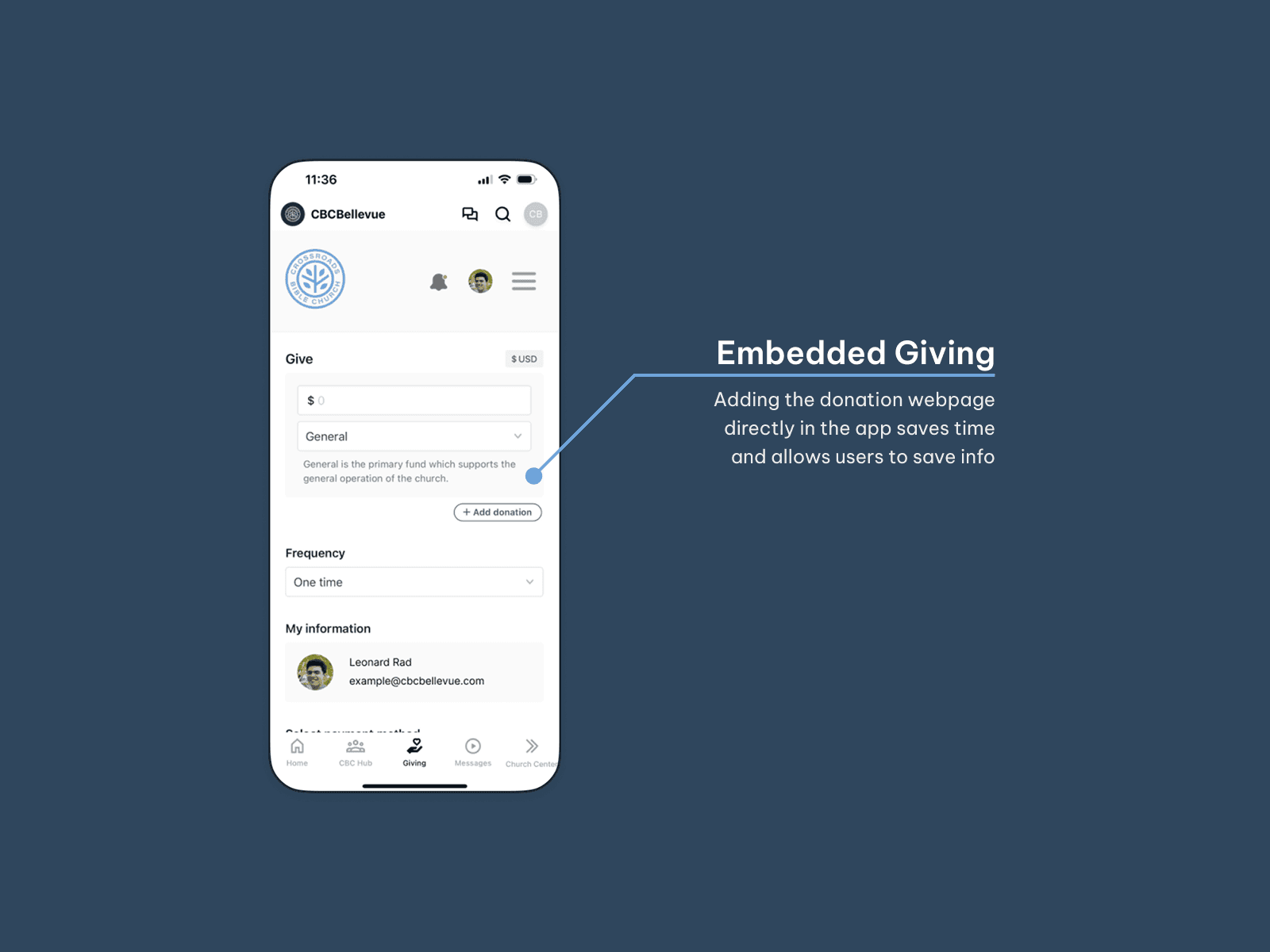
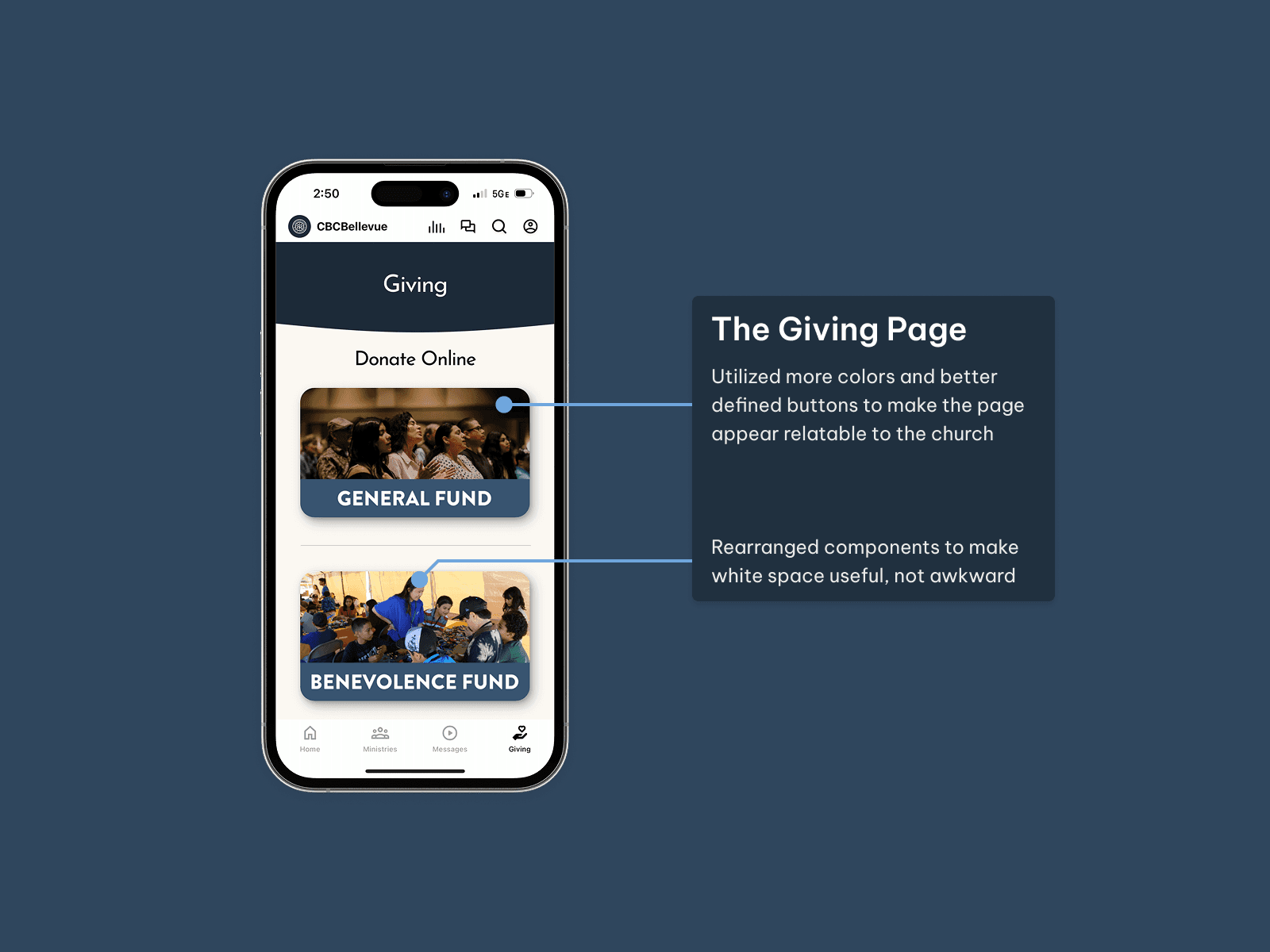
The donation process should be streamlined or improved somehow.
To improve their experience, users needed an app that represented CBC and focused on calendars and media streaming.
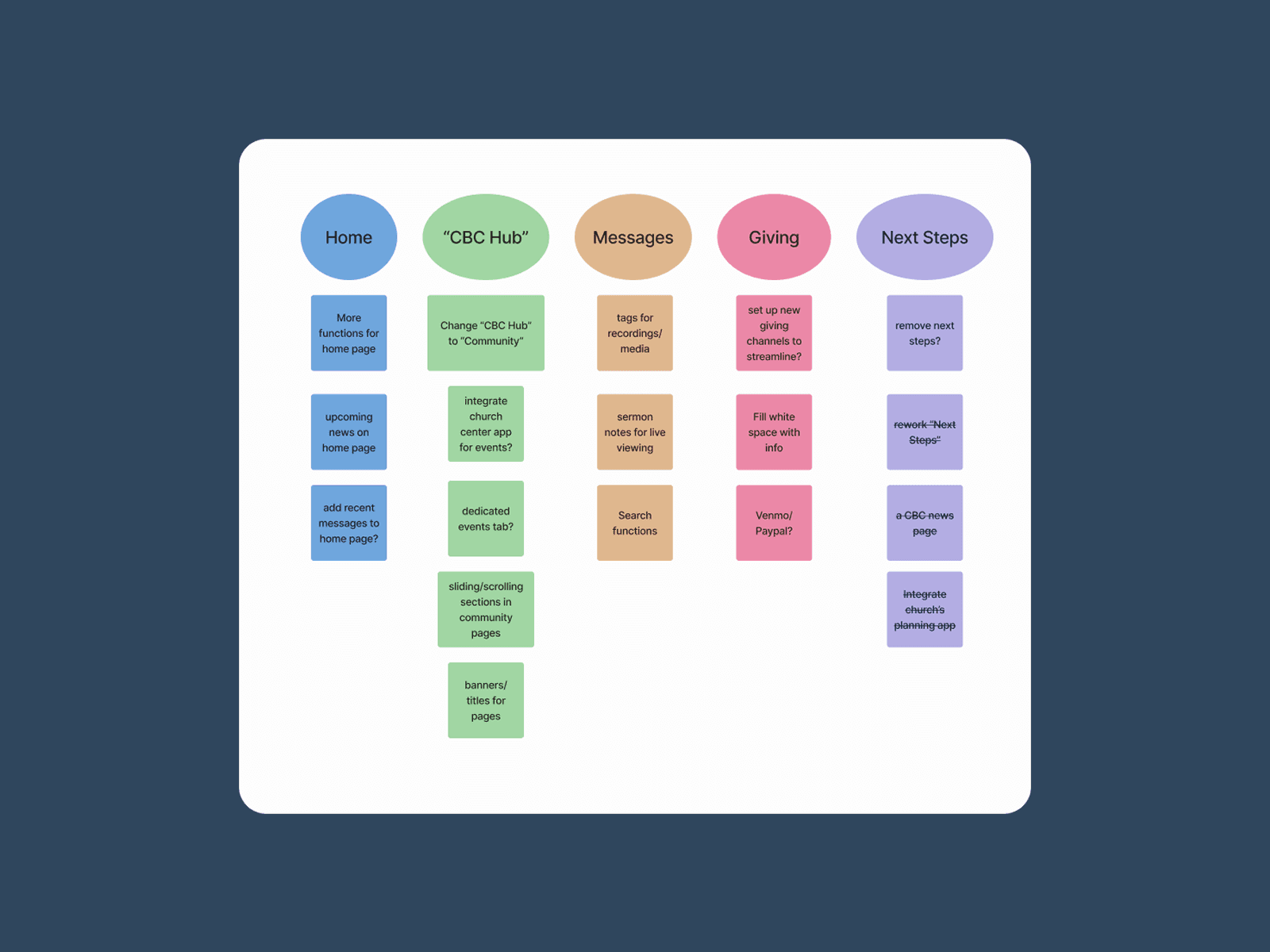
A list of some ideas to improve different pages in the app
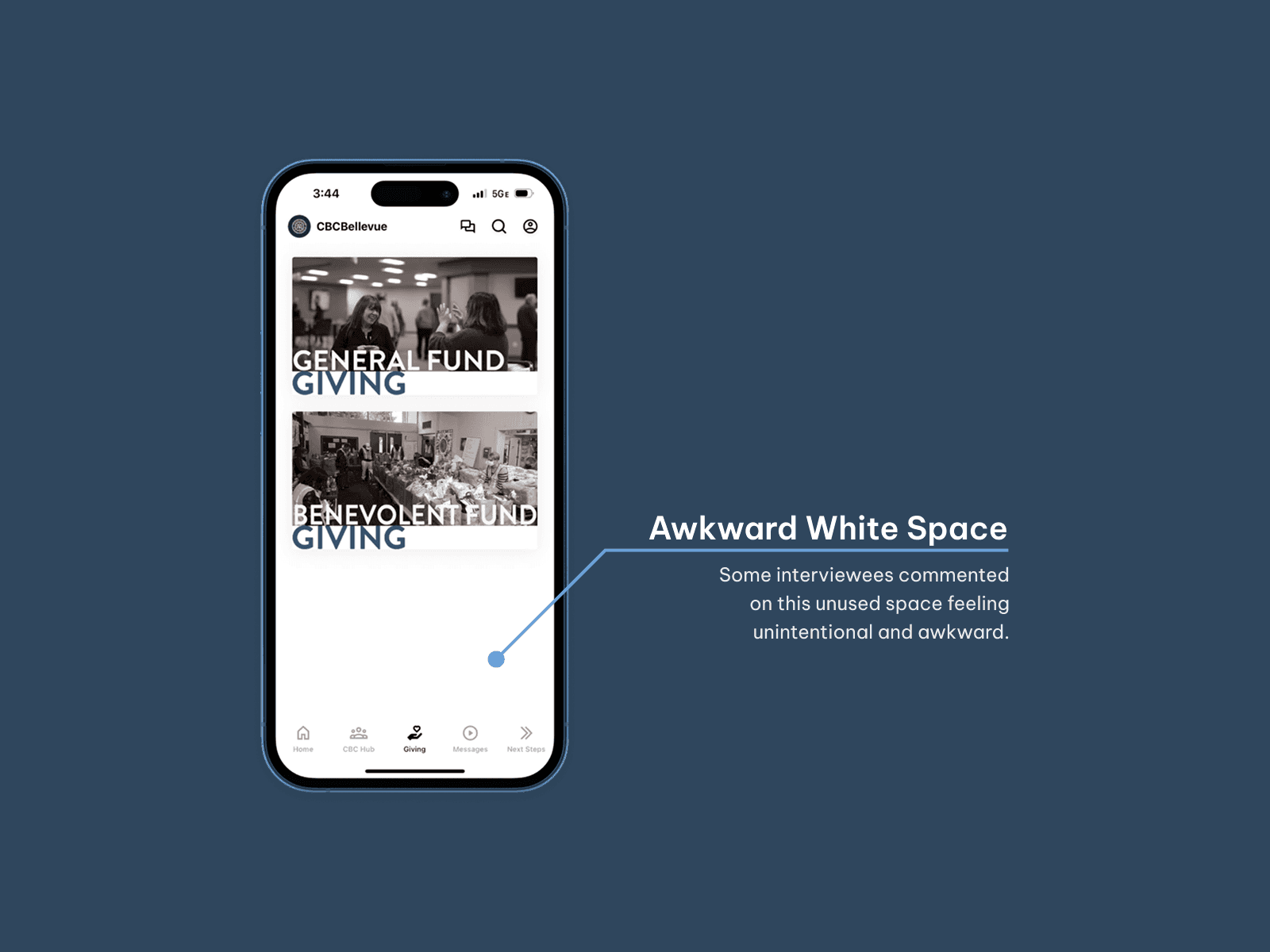
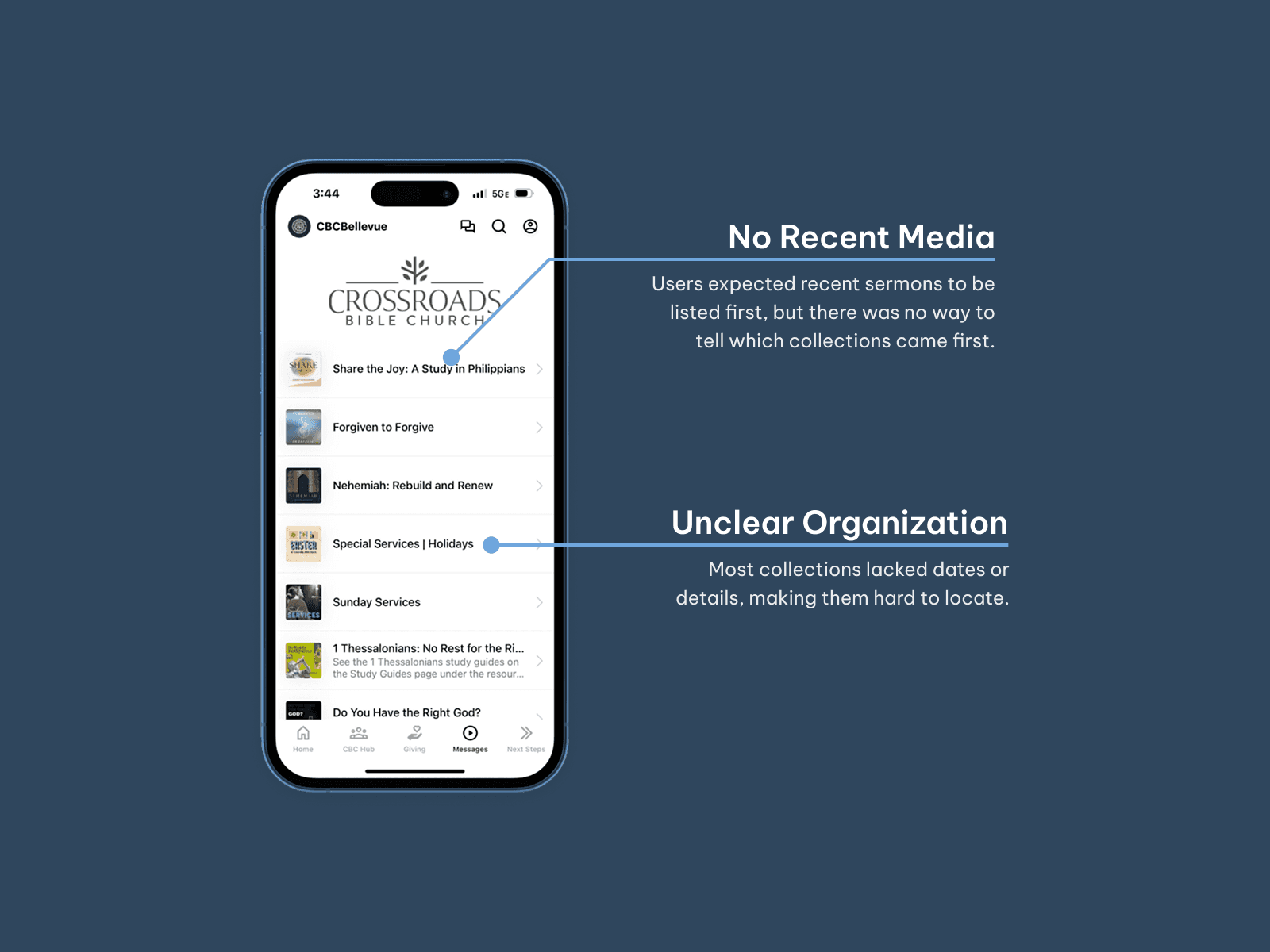
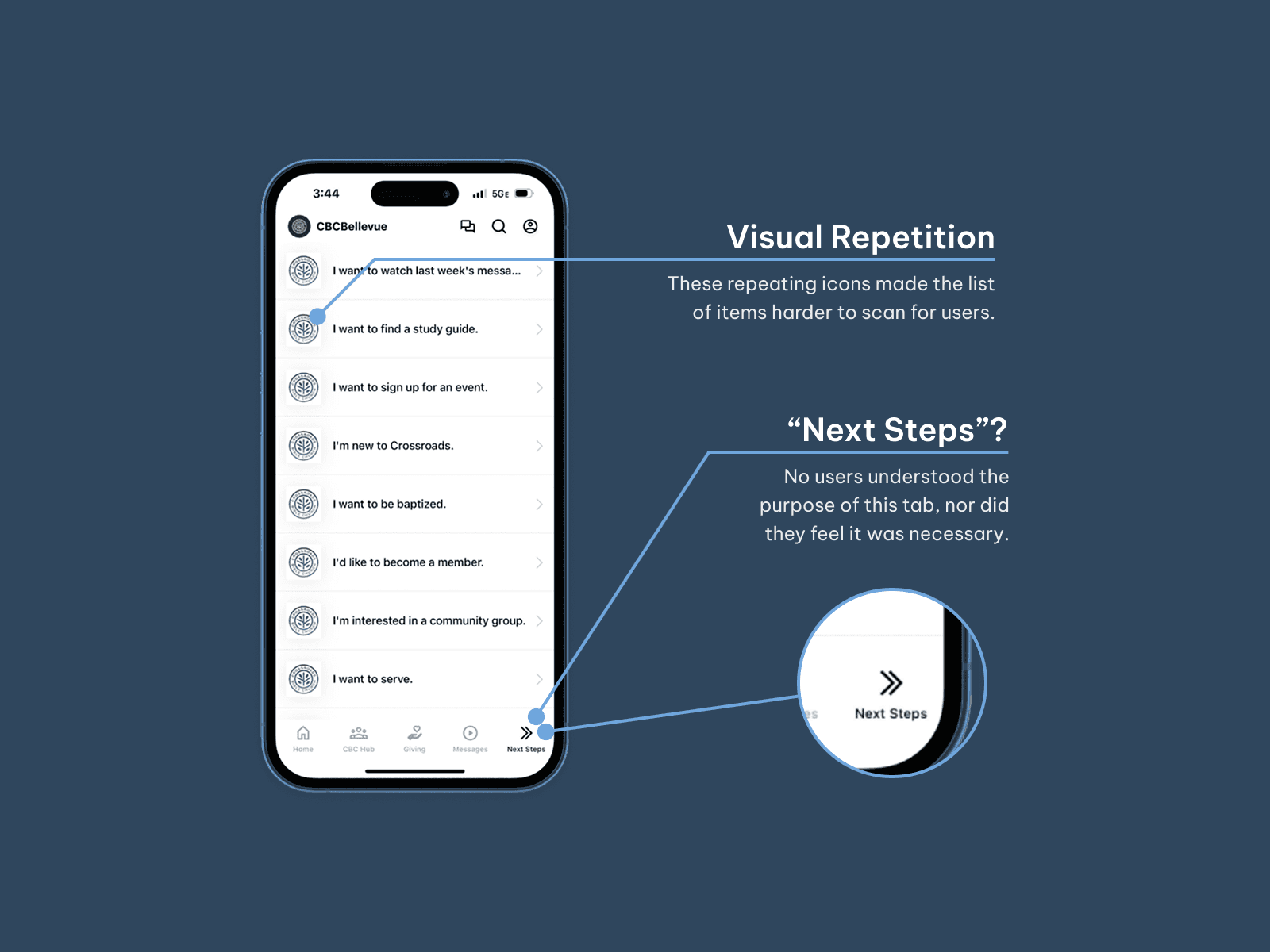
Turning Data Into Action
Ideation
I began documenting ideas to address the pain points I had identified. I wasn't concerned with what Subsplash (the app building tool I was working with) couldn't do for now, just what would produce the best results.
Prototyping
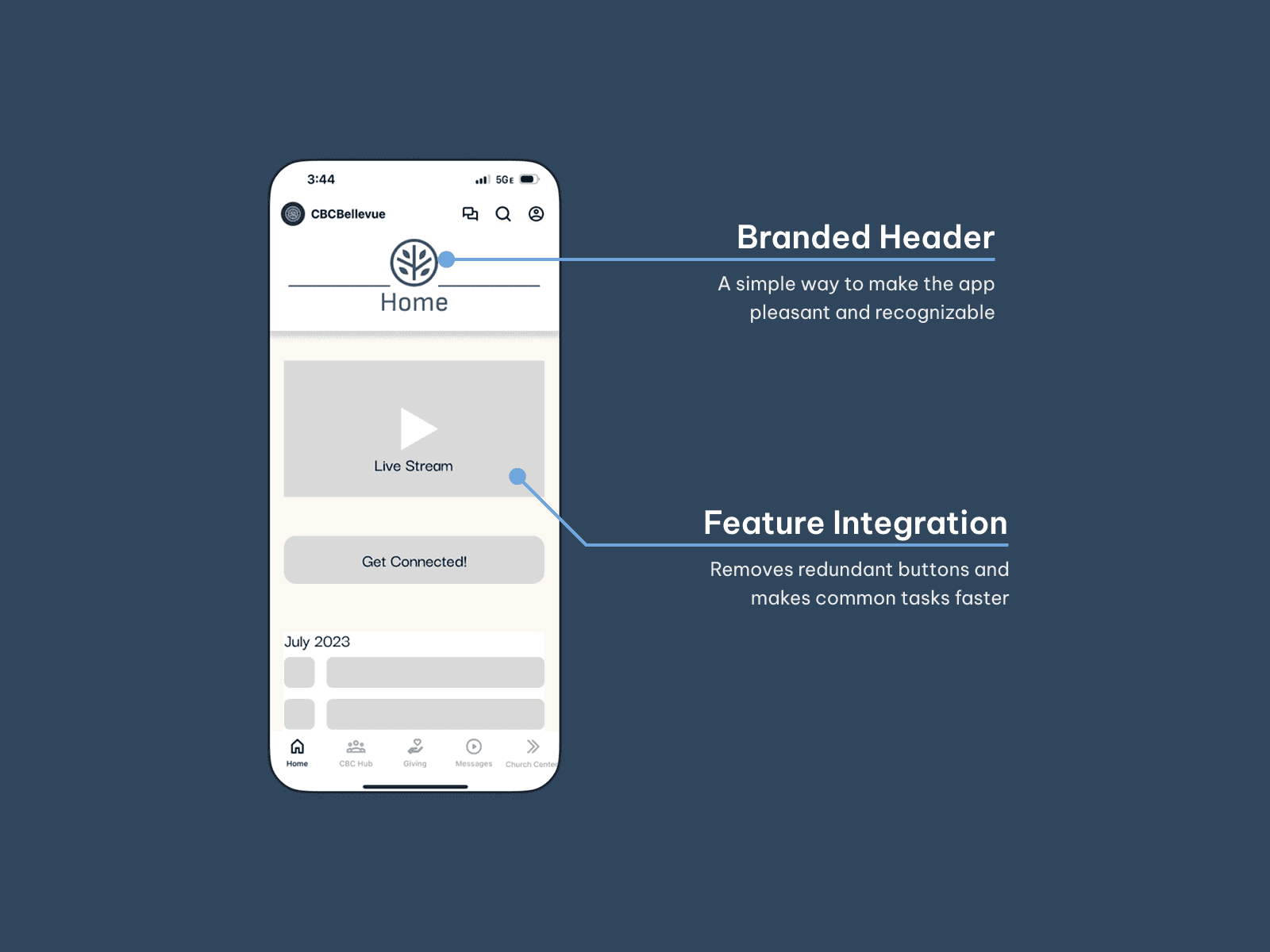
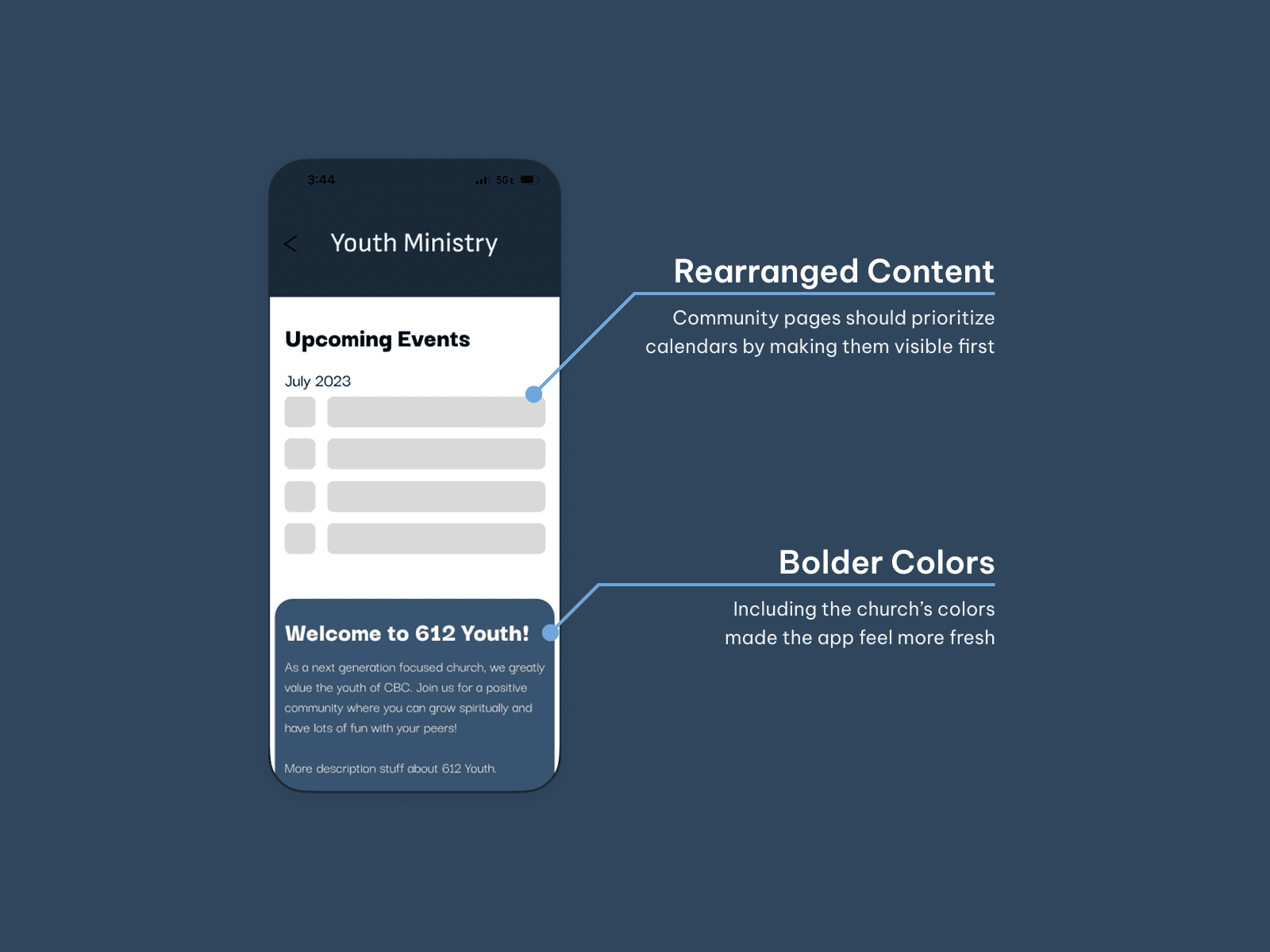
Once I had a list of ideas, I created a mockup in Figma to test my ideas and convey my plan to my supervisors. I tried to keep my designs as similar to Subsplash's output as I could, but the real objective was to deliver as exciting of an experience as I could.
My goal for this step was to push what Subsplash could do by not starting off constrained by it.
Implementation
Mockup Reviews
While I had time, I met with the Director of Communications, Dana Dang, to review my designs. Some changes were made in our meeting, such as the removal of the "Next Steps" tab altogether, but most features were received with excitement!
The Battle with Subsplash
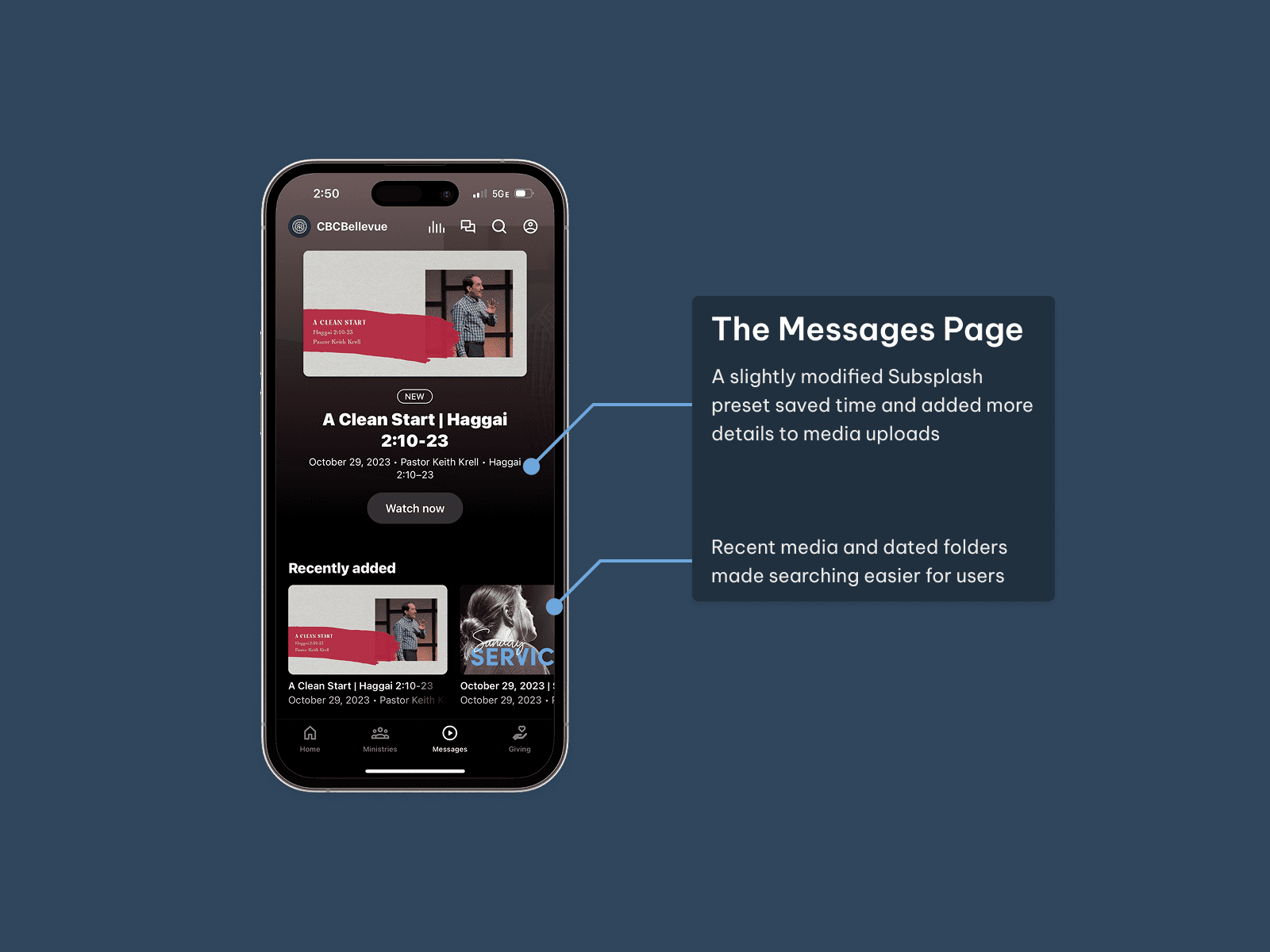
Implementation proved to be tedious if nothing else. Subsplash was limiting to use, and unfortunately, many features from my prototype were impossible to recreate. However, I was also very successful finding workarounds and adapting my designs to this new system. My schedule only allowed me to work in small bursts on this project, but piece by piece, the app was looking much more lively!
After reviewing what was possible and finding workarounds, I eventually completely updated the app and released it on August 4th!
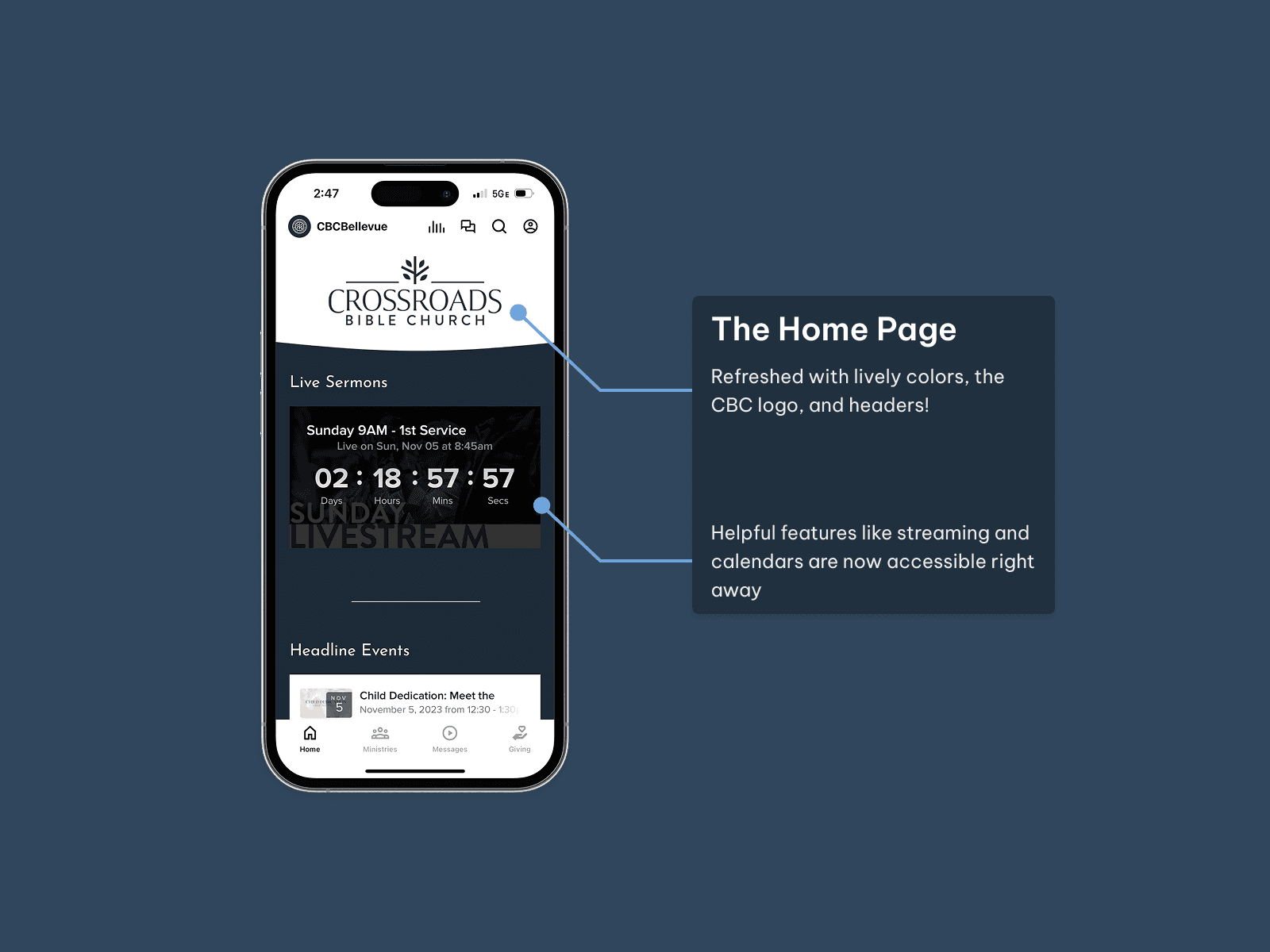
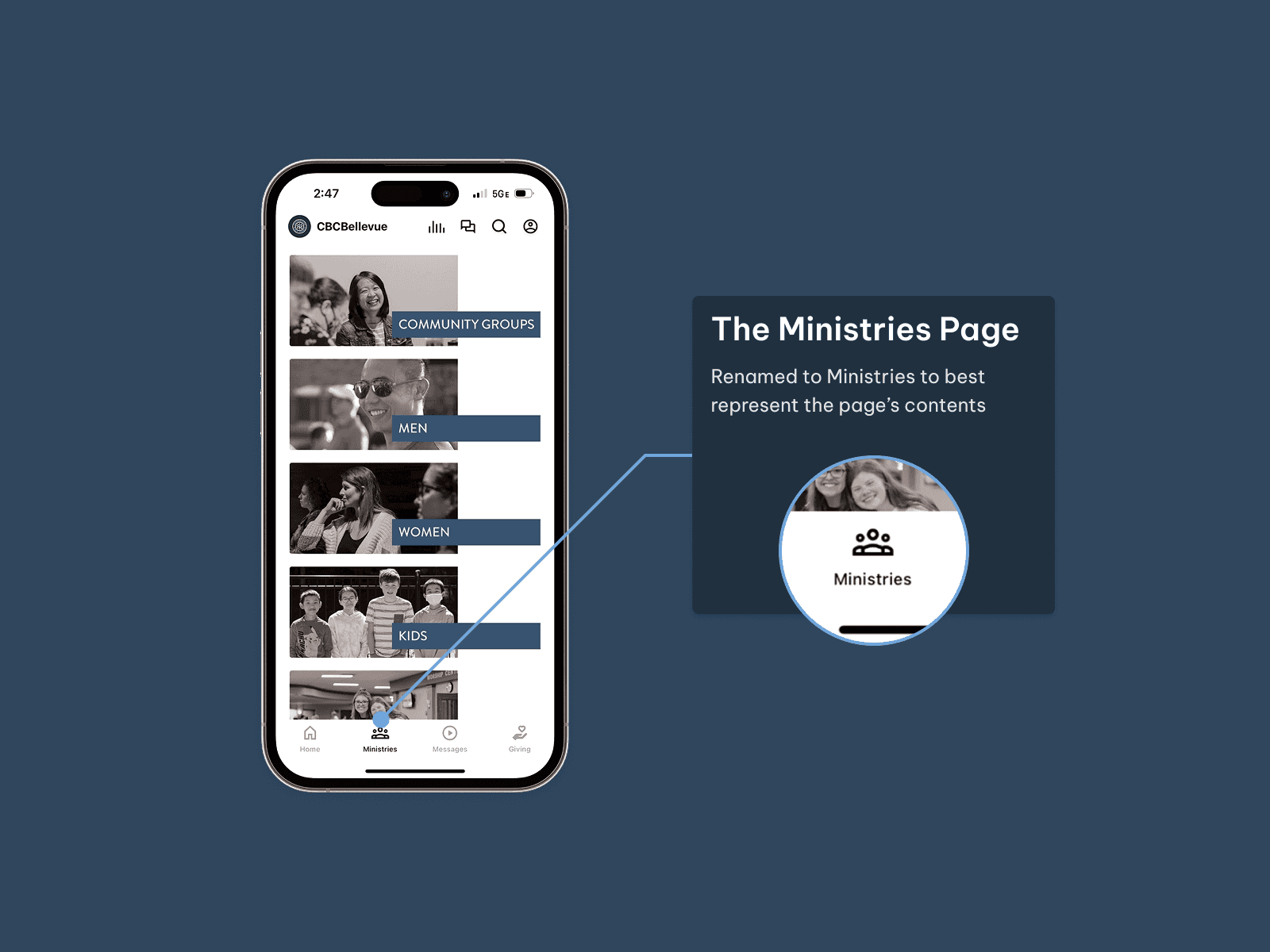
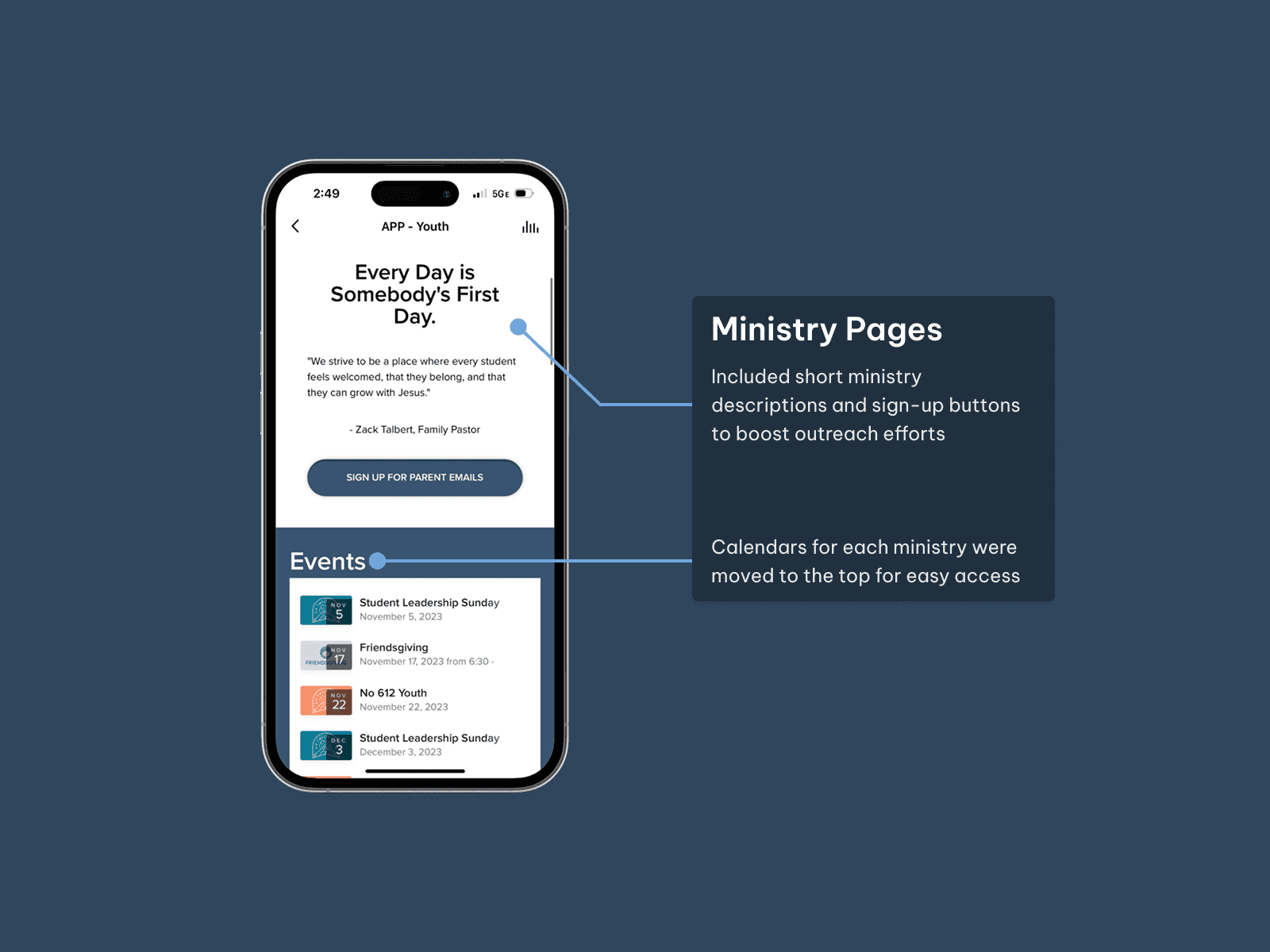
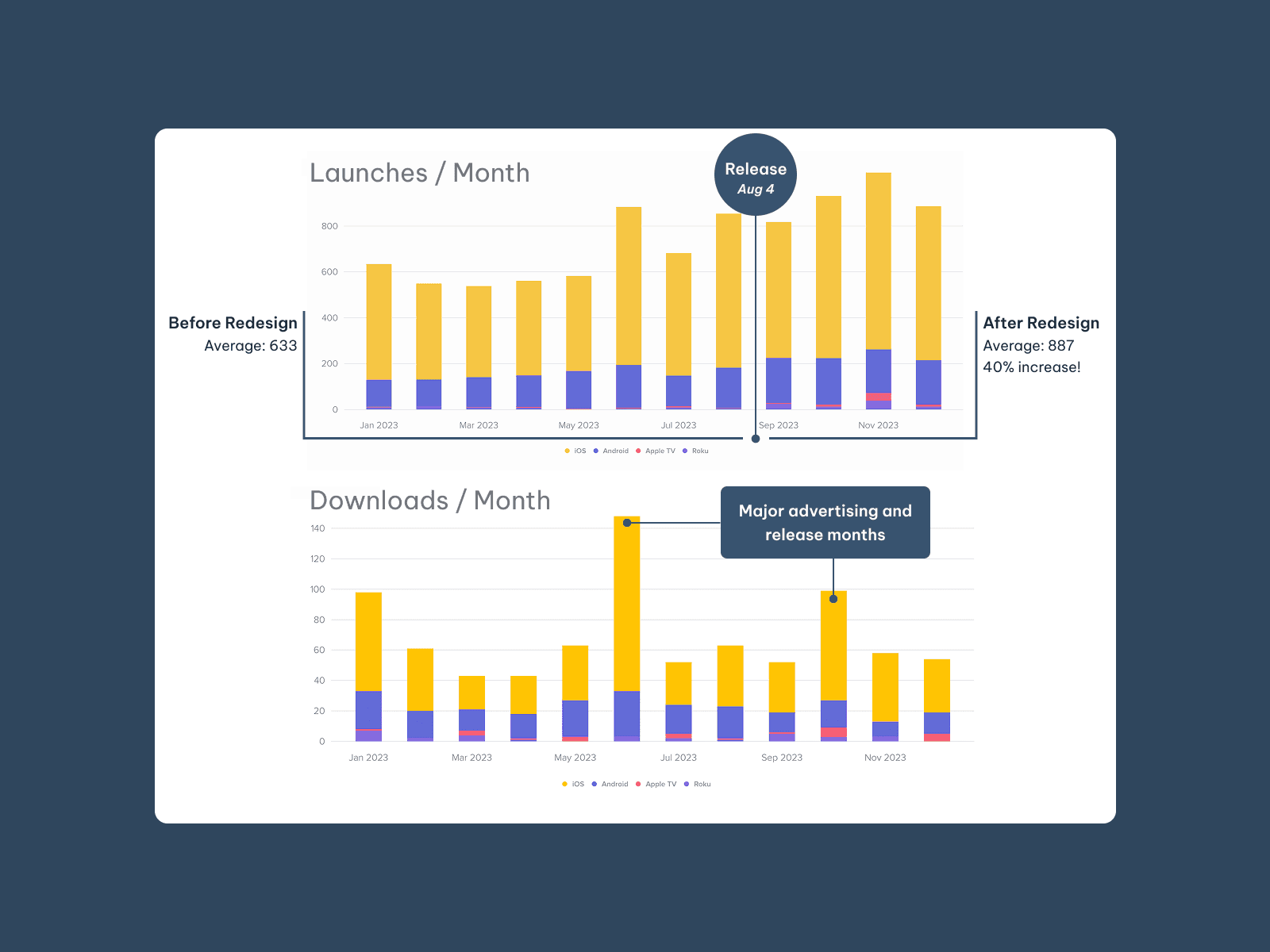
Usage and download statistics of the app, showing improvement after my redesign
Results and Impact
Quantitative Impact
Compared to the old app design, the new app was launched about 40% more per month, and saw large download spikes at significant stages in its development. These metrics indicated that the app was being more widely used and was more helpful to users since they returned to using it more frequently.
Qualitative Impact
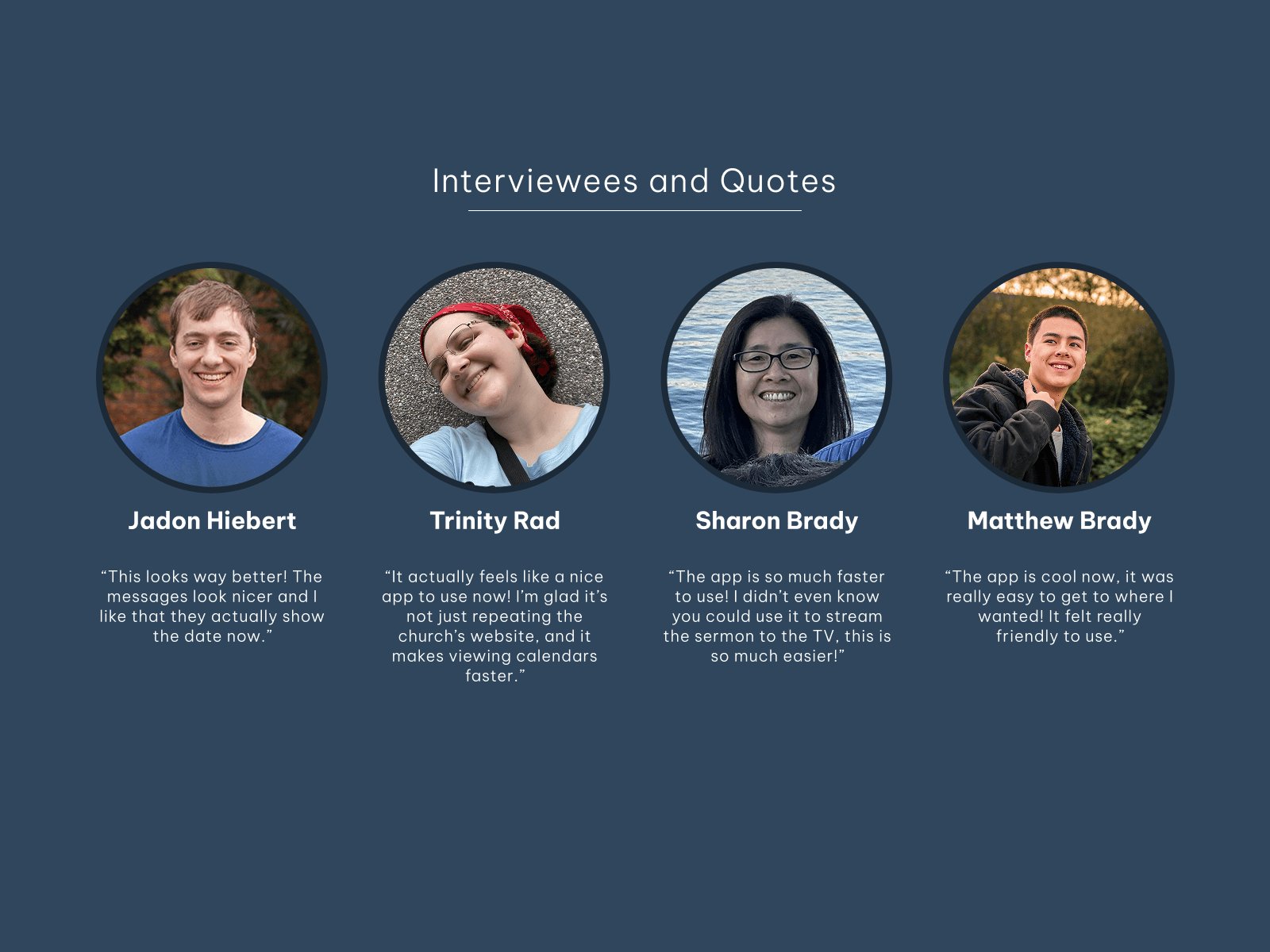
Users also voiced their enjoyment of the new app through action and comments. For example, the newly improved app was used at a member lunch event to facilitate a community-building game. The general consensus from users that I talked with afterwards was that the app felt much easier to navigate, provided more helpful features, and looked like something the church could be proud of.
Reflection
This project pushed me to remain flexible in my design process, as my schedule was constantly shifting and filling with other work. If I had the opportunity to redo this project, I would put even more emphasis on documentation; many times I found myself wishing I had a more concrete idea of where I was in the design process. Overall, I am confident that my work had a meaningful impact on people's lives in the CBC community and on my own development as a designer.
"Caleb demonstrated his innovative thinking by bringing fresh and unique design ideas and implemented them effectively. His work has undeniably elevated the overall user experience of our app." - Dana Dang, Director of Communications