WorkWELL
Design Case Study
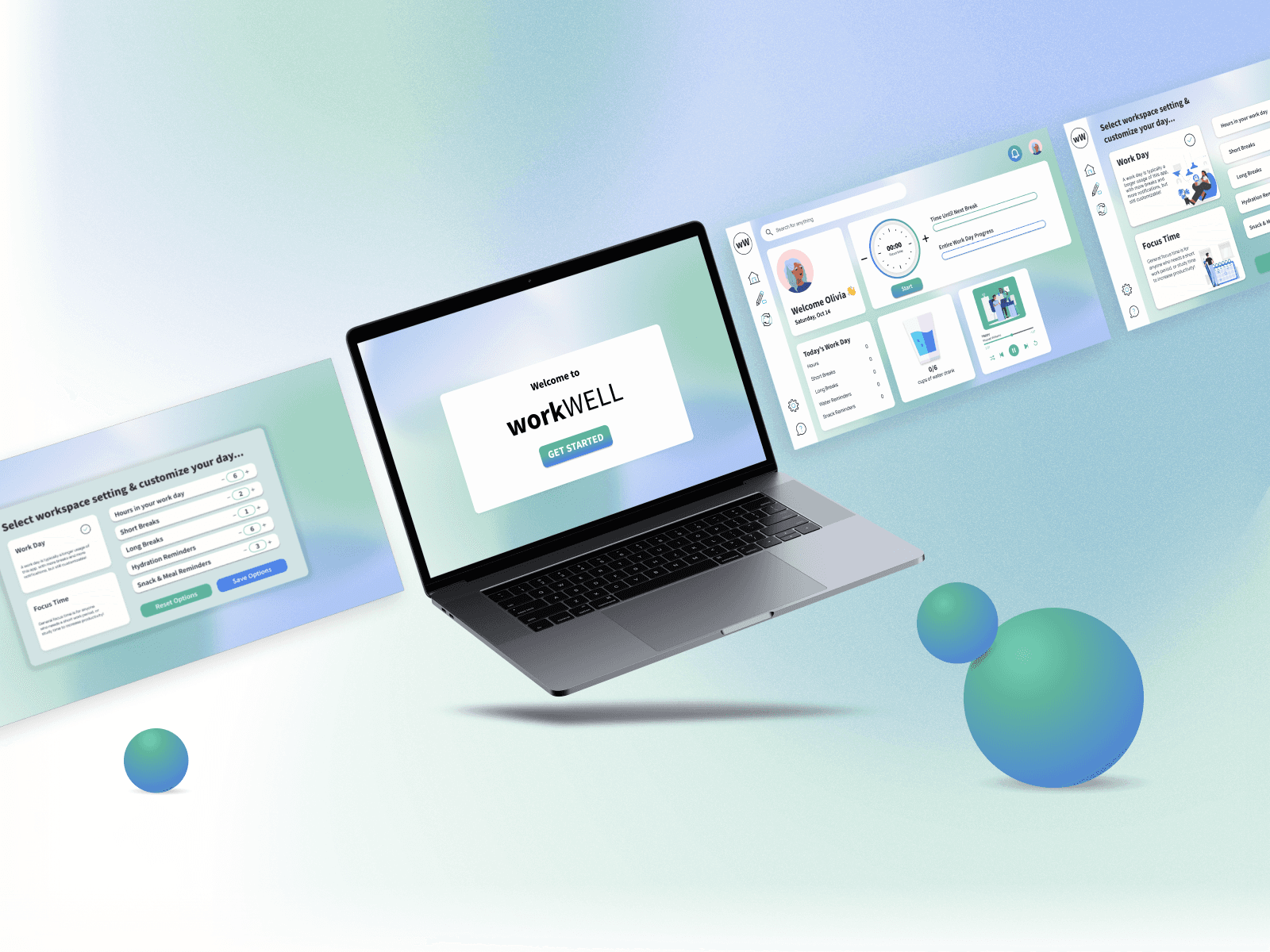
Work Hard, Live WELL. WorkWELL is a prototype dashboard designed to help bring structure to people's routines while working in the comfort of their homes.
Client
DubHacks Hackathon
Date
October 2023
Contribution
UI & UX Design Branding Prototyping
Tools
Figma
The Situation
At the 2023 "DubHacks" hackathon (hosted by the University of Washington), attendees were given four categories to create products for. I and 3 team members chose to design for the "Vitality" category, which focused on improving health for people. Specifically, we wanted to focus on mental health for remote workers in light of the COVID pandemic.
We each felt that working from home lacked the structure that a school or office environment offered, so our goal was to improve productivity and mental health for remote workers.
Approach
Since we did not have the time or experience required to build a functional program, we chose to focus on our strengths in UX and visual design to create a prototype of our idea. Our plan was to dedicate the first evening of the hackathon to identifying specific hardships to focus on designing for, then to spend the next day designing solutions and prototyping our project.
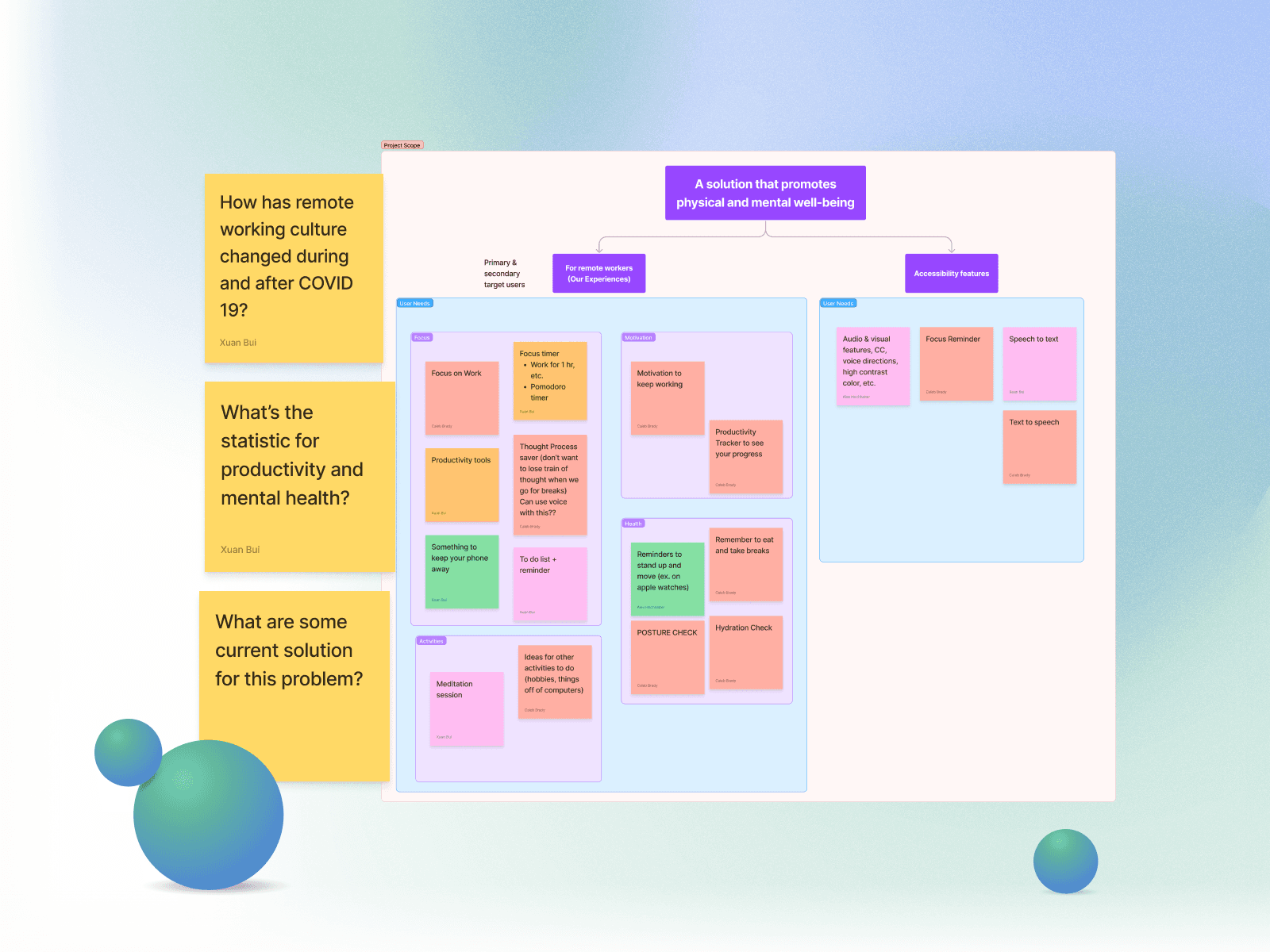
Brainstorming sticky notes where we shared questions and ideas for what might help our work days at home.
The Problems with Working at Home
With the time and resources available, we chose to have a quick brainstorming session to list problems we encountered when working at home in our own lives. We found five common themes amongst all of our experiences working at home:
Staying focused
Staying motivated
Being physically healthy
Finding activities to do on breaks
Transitioning between "work mode" and "rest mode" mentally
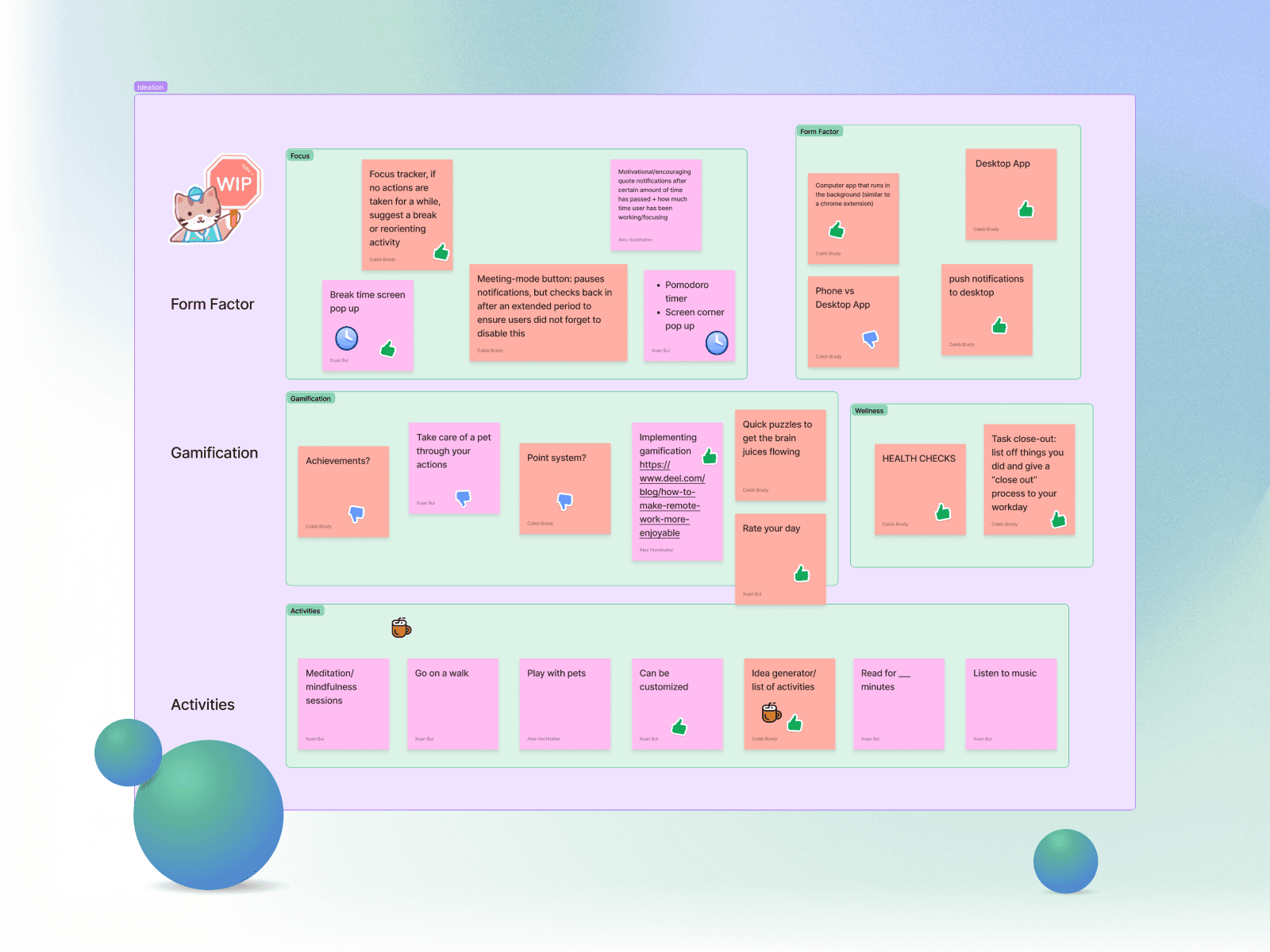
Ideas to solve the 5 problems above, grouped and voted on
How We Addressed These Problems
We chose to design a productivity tracking dashboard tailored for solo remote workers, which would give users more support in the four areas mentioned above. While similar dashboards already exist for teams, we felt there was a gap in tools designed specifically for individuals.
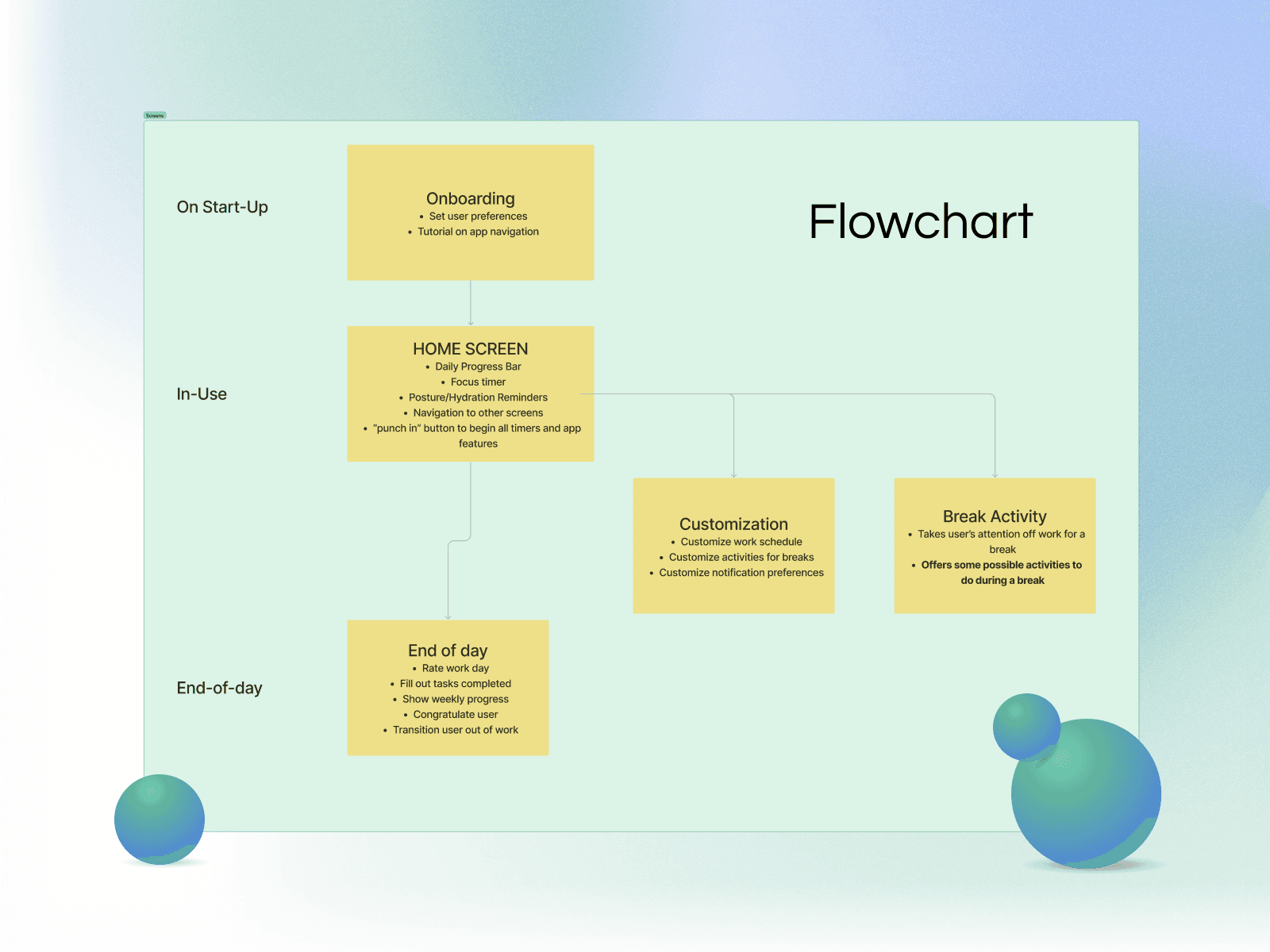
A flowchart of our features
Feature Development
To decide on features to prioritize, we dedicated some time to writing ideas down on a FigJam board. This gave everyone a chance to share how they envisioned the project coming out. We then selected ideas to mockup that would be important for making a quick visual mockup.
Focus Features
By discussing our ideas and collectively approving ones to try designing, we were able to create a list of features to focus on. These included:
A Wellness Timer to remind users to take breaks and focus on meetings, work times, etc.
Activity Suggestions for breaks and at the end of the day
Onboarding to customize work days
Offboarding to help users mentally transition out of "work mode"
My focus was mostly on styling our product to ensure that everything looked cohesive, but I was also responsible for designing the onboarding screens of our product.
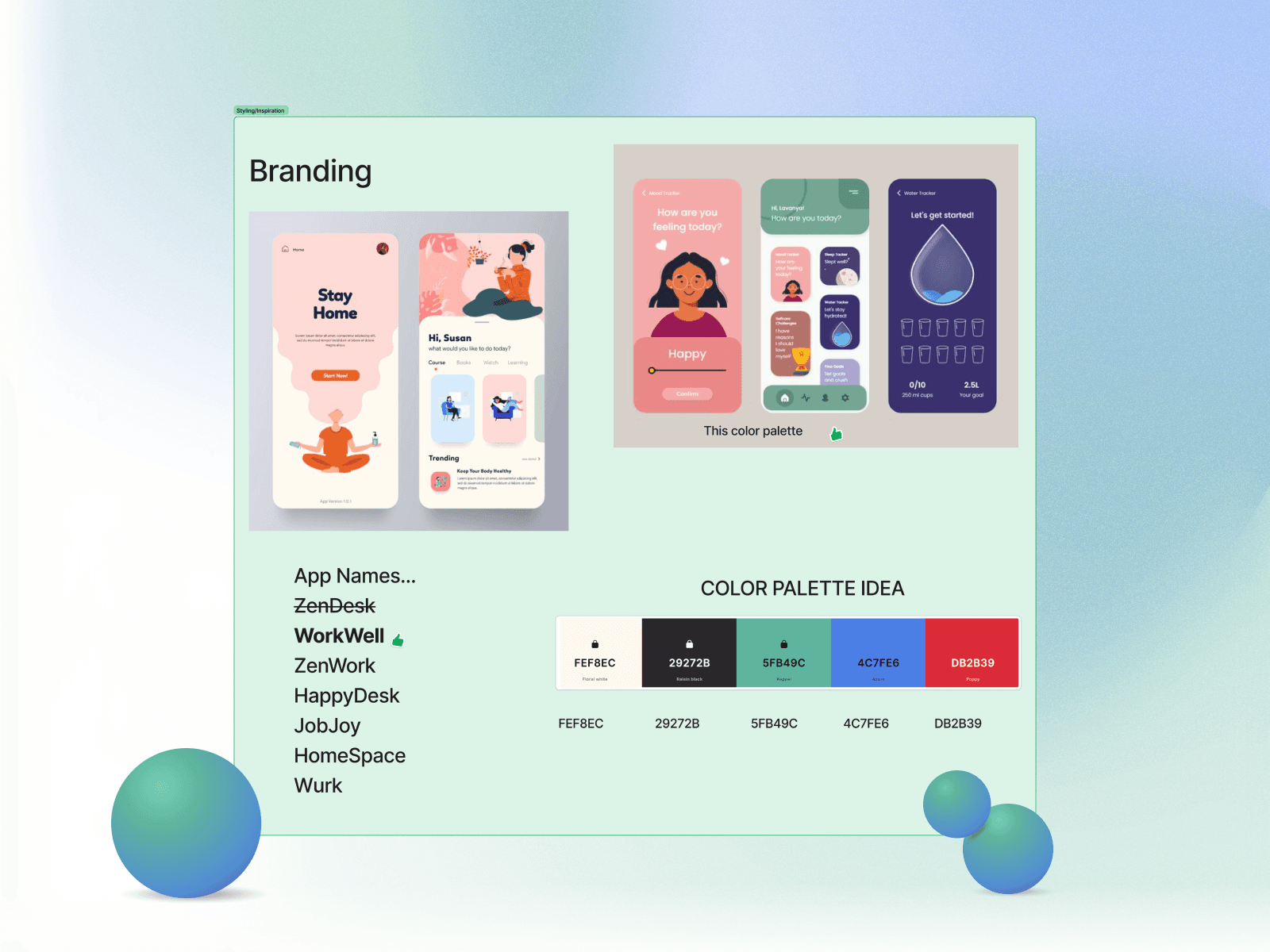
Ideas for styling and branding out design
Styling
One of our goals for this project was to practice visual design skills by creating a prototype that felt premium for workers at home. To achieve these goals, we dedicated time to finding similar products that we liked the look of, then selected a name and colors together.
Taking the time to decide on styles became most important when designing the prototype. I spent time to ensure that colors, fonts, etc. were all added to a reusable toolbox in Figma so that everything we designed looked similar. I also designed some reusable assets such as the background and buttons.
Creating a reusable set of styles and assets made the entire project quicker and more cohesive.
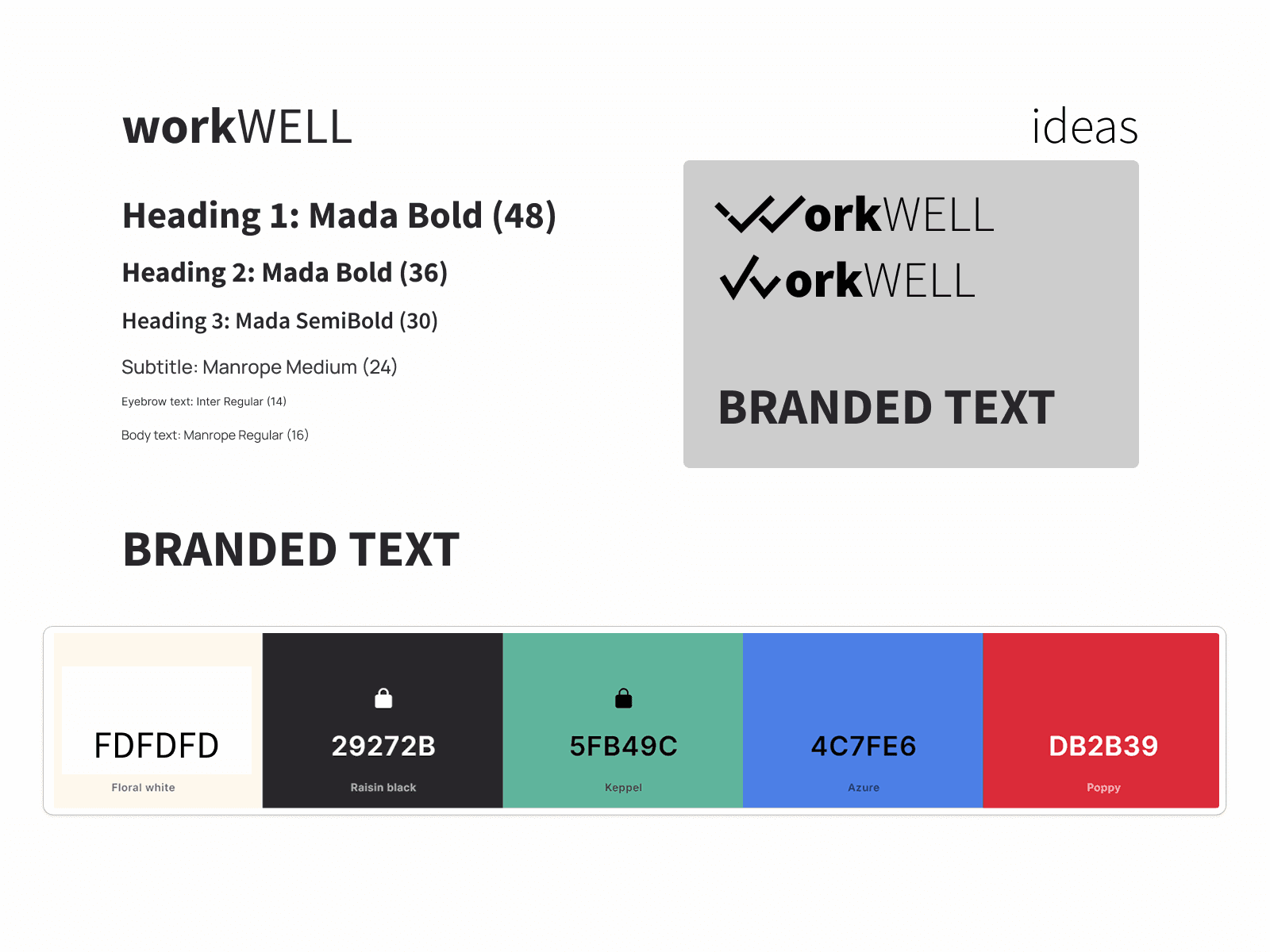
Style guide for creating mockups
A Small Dilemma
Initially, our hope was to create a working application to present. However, our team's programmer had difficulty finding a way to get notifications to appear on Windows, which was a very important part of our design. After some deliberation, we chose to focus our efforts on refining our visuals and creating a prototype in Figma instead.
This left our programmer with little else to do, so I took the time to help organize activities that he could help with. Together, we formed a sort of 'quality check' team to make sure that the design was free of typos, followed design systems, and was usable.
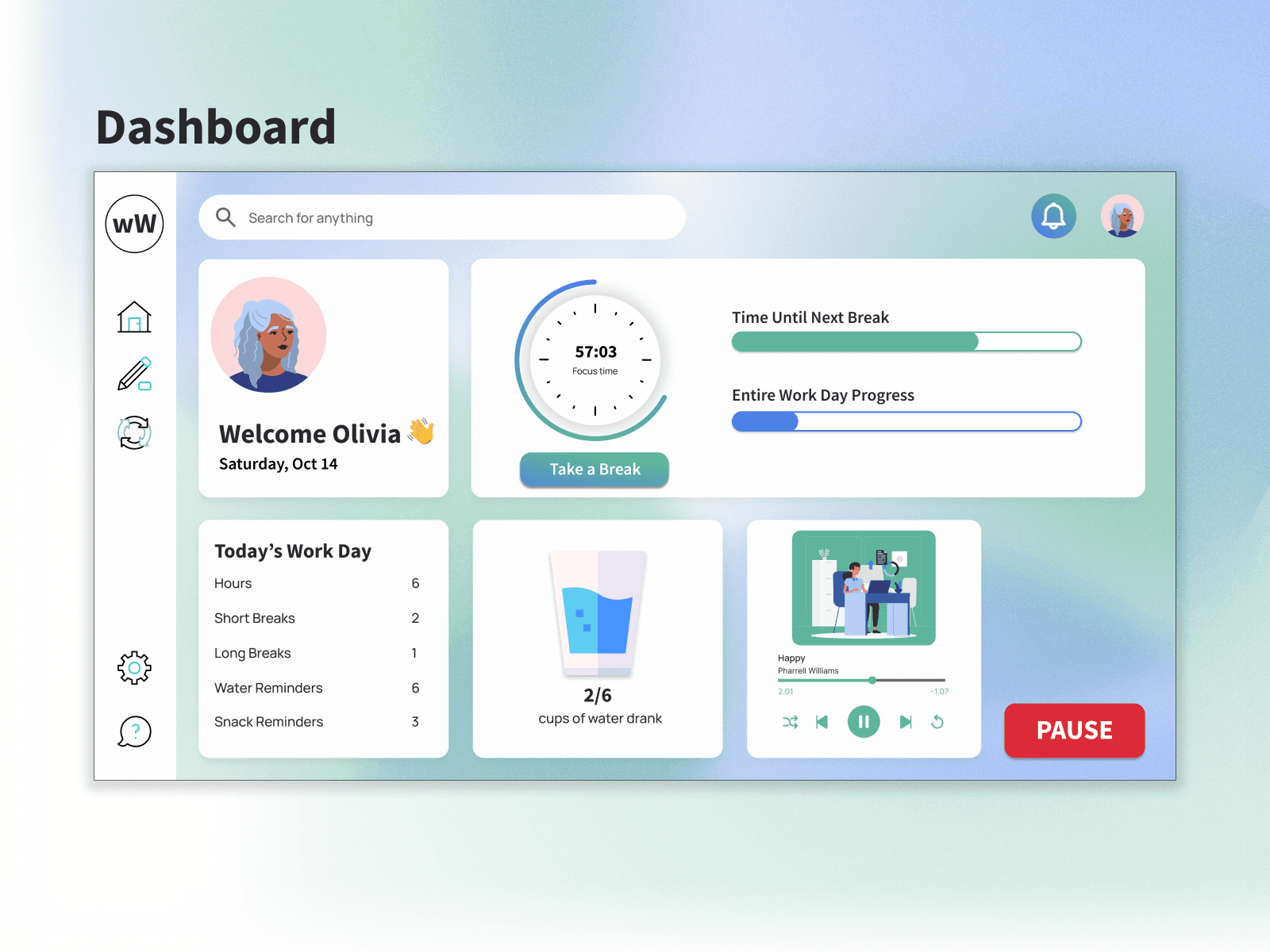
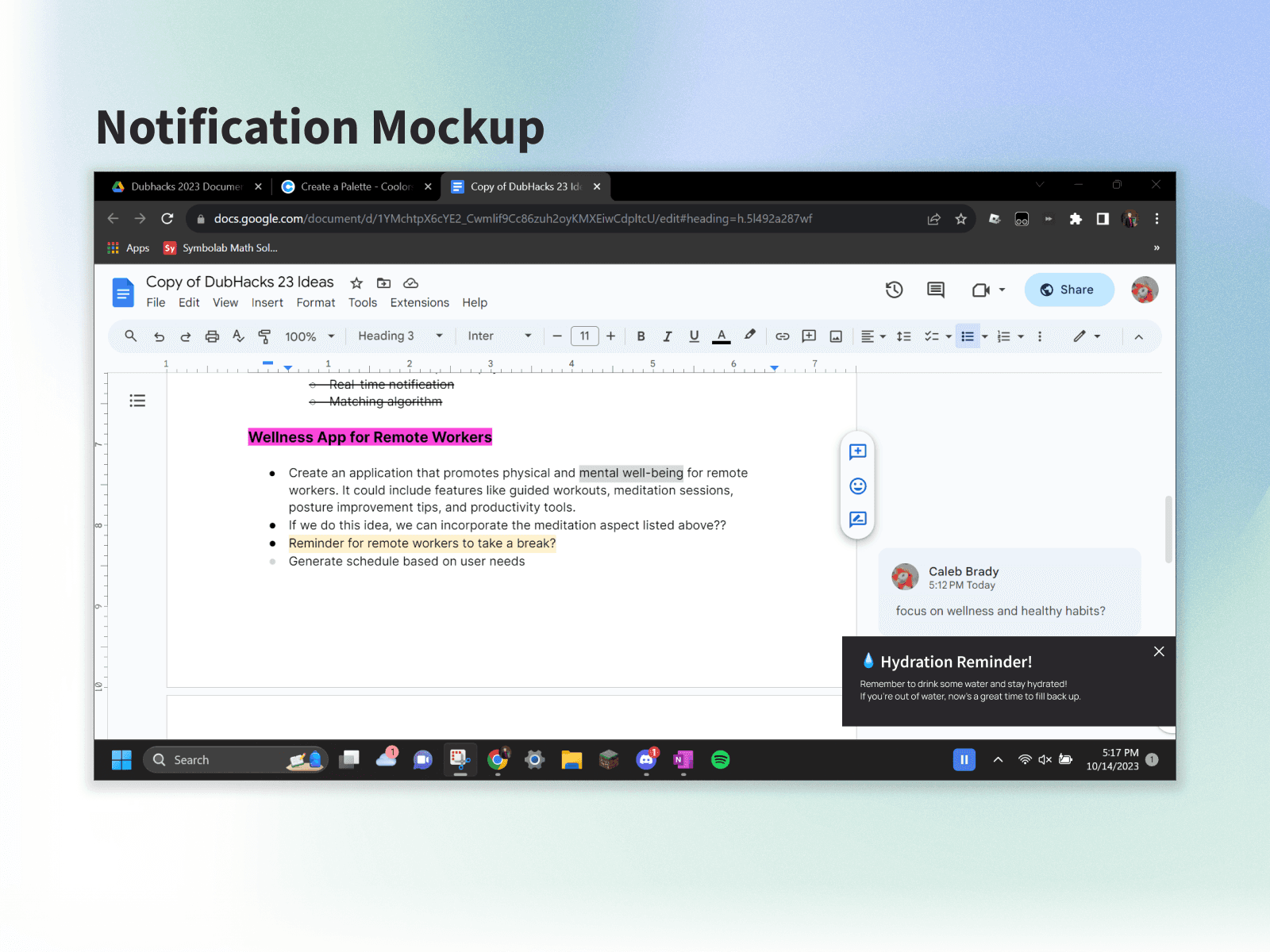
Mockups of our main screen and system notifications
Finished Designs
Everyone worked in a single Figma file, which allowed us to bounce ideas off of each other during our work. This also helped me tweak designs to fit our system of assets and colors. We were able to turn these designs into an interactive mockup using Figma's prototyping tools.
During this phase, I also took the liberty of creating some mockups that showed how our product might integrate with Windows operating systems during a typical work day.
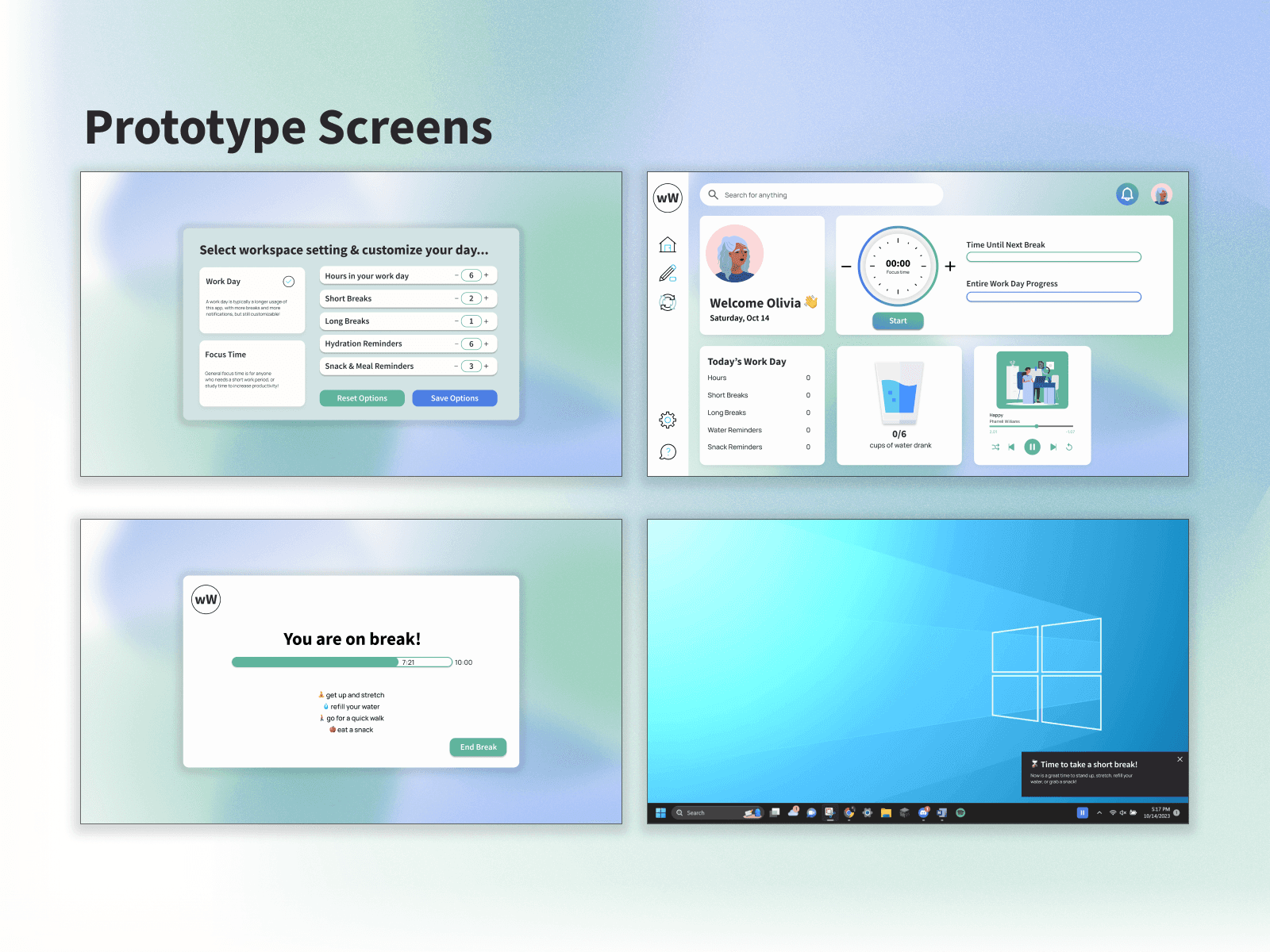
Some screens from the final prototype
WorkWELL was great practice for both collaborative design and quick prototyping. I got the opportunity to run through most of the design process in less than 2 days, highlighting the value of flexibility and well-managed design systems.